

Any commissioner for taking affidavits, lawyer, paralegal, or notary public authorized under Ontario law can commission your affidavit, and remote commissioning is legal when it meets the conditions in O. Reg. 431/20. The Commissioners for Taking Affidavits Act sets the legal framework, the Government of Ontario publishes a practical guide for commissioners, and the Law Society of Ontario has its own checklist for lawyers and paralegals doing this remotely.
Before you book anything, do three things:
- Ask the receiving organization whether it accepts remotely commissioned documents. Not all do.
- Gather government-issued photo ID that matches the name on your affidavit.
- Do not sign the document ahead of time. You sign it in front of the commissioner, not before.
Key Takeaways
Affidavit commissioning in Ontario requires an authorized commissioner, notary, or lawyer, and remote sessions are only valid when they follow the modified jurat and identity checks required under O. Reg. 431/20.
| Point | Details |
|---|---|
| Never pre-sign | Sign the affidavit only in front of the commissioner; a pre-signed document risks rejection. |
| Confirm acceptance first | Ask the receiving organization if it accepts remote commissioning before booking a session. |
| Modified jurat is mandatory | Remote jurats must cite O. Reg. 431/20 and list both the commissioner's and deponent's locations. |
| Match venue to document | Court filings need a courthouse or lawyer; ServiceOntario cannot commission certain legal or federal documents. |
| Choose the right service | Theonlinenotary offers LSO-compliant remote commissioning for affidavits and declarations across Ontario, with recordkeeping built in. |
Table of Contents
- How Affidavit Commissioning Works in Ontario
- Commissioning an Affidavit in Person: A Step-by-Step Checklist
- Remote Commissioning in Ontario: What the Law Actually Requires
- Notary Vs. Commissioner: Stamps, Seals, and Who Does What
- How to Become a Commissioner for Taking Affidavits
- Where to Find Commissioning Services in Ontario
- Avoiding Rejection: A One-Page Commissioning Checklist
- When a Commissioner Has to Say No
- Why We Build Our Process Around the LSO Checklist
- Skip the Courthouse Line: Commission Your Affidavit Online
- Frequently Asked Questions
- Sources
How Affidavit Commissioning Works in Ontario
Not everyone with a law degree or a rubber stamp can take your affidavit. The Commissioners for Taking Affidavits Act creates four practical categories of people who can legally do it, and knowing which one applies to you saves a wasted trip.
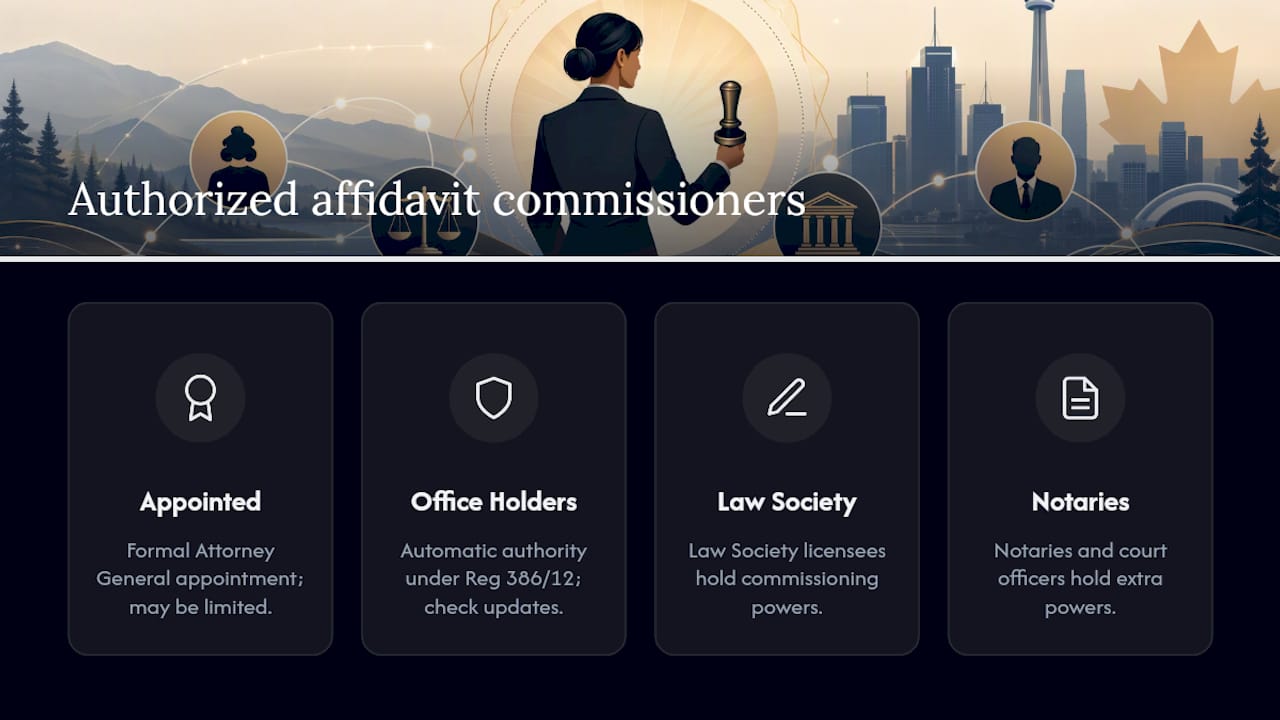
Commissioners appointed by the Attorney General. These are individuals, often paralegals, court staff, or businesspeople, who applied for and received a formal appointment. Their authority is tied to that appointment and sometimes limited to specific purposes noted on their Notice of Approval.
Commissioners by virtue of office. Certain job titles carry commissioning authority automatically, without a separate application. Municipal clerks, some provincial employees, and other prescribed office holders fall here under Regulation 386/12. The Ontario Bar Association flagged an update adding new categories of automatic commissioners effective March 1, 2026, so if your job title is new to the list, check before assuming you qualify.
Lawyers and paralegals. Licensees of the Law Society of Ontario hold commissioning powers as part of their professional license, which is why so much of the remote commissioning infrastructure runs through law firms.
Notary publics and court officers. Notaries carry commissioning authority plus additional powers described below.
One rule trips people up constantly: a commissioner cannot take their own affidavit, and cannot commission a document in which they have a personal interest. If your commissioner is a family member or a party to the transaction, find someone else. The Act also fines commissioners who sign a jurat without properly administering the oath, with potential penalties under section 9, so a careless commissioner is taking on real personal risk, not just a paperwork slip.
Commissioning an Affidavit in Person: A Step-by-Step Checklist
In-person commissioning is still the default for most court filings, and it follows a predictable sequence.
- Prepare the document but leave the signature line blank. Print or finalize your affidavit, but do not sign it. The whole point of commissioning is that the commissioner watches you sign.
- Bring valid photo ID. A driver's license, passport, or Ontario photo card works. The commissioner needs to confirm you are who the document says you are.
- Attend the appointment and swear or affirm the contents. The commissioner will ask you to confirm the affidavit's contents are true, either by swearing an oath or making a solemn affirmation if you prefer a non-religious option.
- Sign in the commissioner's presence. This is the moment that makes the document legally binding.
- The commissioner completes the jurat and signs. The jurat is the block of text certifying when, where, and before whom the oath was sworn.
- The commissioner stamps or seals the document, if they use one, and adds their name and appointment details as required.
A standard jurat reads something like:
Sworn (or affirmed) before me at the City of Toronto, in the Province of Ontario, this 14th day of March, 2026.
A Commissioner for Taking Affidavits
If your affidavit needs supporting documents attached (exhibits), those often need to be initialed by both you and the commissioner on each page, and the exhibit stamp needs to reference the correct exhibit letter. This is a step people miss constantly, and it's a common reason court clerks bounce documents back.
Pro Tip: Call or email the court, government office, or institution that requested the affidavit before your appointment. Ask exactly how they want exhibits marked and whether they need original ink signatures or accept certified copies. A five-minute call saves a second trip.
Remote Commissioning in Ontario: What the Law Actually Requires
Remote commissioning is legal in Ontario, but it only works when the process follows Regulation 431/20 exactly. Skip a step and you risk a document that gets rejected the moment it lands on someone's desk.
The Law Society of Ontario's remote commissioning guidance lays out the checklist lawyers and paralegals follow, and it applies with equal force to the practical steps any commissioner should take:
- See and hear the deponent in real time over live video, not a recorded call or a static photo of ID.
- Confirm identity using government-issued photo ID held up to the camera and matched against the person present.
- Use a modified jurat that states the oath was administered under O. Reg. 431/20 and records the physical location of both the commissioner and the deponent at the time.
- Explain the document's contents to the deponent before they sign, confirming they understand what they are swearing to.
- Keep a record of the transaction: who attended, when, what ID was checked, and which platform was used.
That modified jurat matters more than most people expect. Leaving out the regulation reference or the two locations is not a cosmetic error. Some receiving organizations will treat it as an invalid jurat and reject the document outright.
Pro Tip: Confirm the receiving organization's acceptance of remote commissioning before you book the appointment, not after. There is no legal obligation on courts, embassies, or private institutions to accept a remotely commissioned document, even one that follows every LSO requirement to the letter.
Keeping a transaction log is not just good practice, it is your defense if a document's validity is ever questioned. Note the date, time, video platform, ID type checked, and confirmation that the jurat wording was read aloud.
Notary Vs. Commissioner: Stamps, Seals, and Who Does What
A commissioner takes affidavits and administers oaths. A notary public carries broader authority, including certifying true copies of documents and verifying signatures for use outside Canada. If your document is headed to a foreign government, embassy, or international bank, a notary is often the better fit, not a plain commissioner.
Stamps work differently depending on the format:
- In person, the commissioner's physical stamp or seal appears directly on the document, showing their name and appointment status.
- Remotely, the commissioner cannot physically stamp your printed copy, so the modified jurat must include the same identifying information the stamp would normally show.
- A certified true copy typically reads: "I certify this to be a true copy of the original document," followed by the notary's signature, stamp, and date.
If you're unsure which service you actually need, our breakdown of affidavit types or the difference between an affidavit and a sworn statement is worth a read before you book.
How to Become a Commissioner for Taking Affidavits
If you're a paralegal, business owner, or professional who regularly needs affidavits signed, applying for your own appointment might make more sense than booking someone else every time.
Appointments come from the Attorney General and typically run for a three-year term, renewable before expiry. Some professionals qualify automatically through prescribed offices under Regulation 386/12, meaning no separate application is needed if your job title is on that list, and the March 2026 update from the Ontario Bar Association expanded who qualifies this way.
- Check your Notice of Approval for any noted limitations. Some appointments restrict the commissioner to specific document types or purposes.
- Contact the Ministry of the Attorney General directly if you're unsure whether your role already carries commissioning authority.
- Renew before your term lapses. A commissioner acting after expiry has no legal authority, no matter how routine the paperwork feels.
Where to Find Commissioning Services in Ontario
Your options depend heavily on what the document is for. Court filings usually need to go through a courthouse commissioner or a lawyer's office. General provincial matters sometimes work at ServiceOntario, though ServiceOntario explicitly does not commission documents for certain legal, financial, or federal purposes, which sends a lot of people looking elsewhere.
- Courthouses, for affidavits tied to active litigation.
- ServiceOntario locations, for limited provincial matters only.
- Municipal clerks' offices, in many towns and cities.
- Lawyers' and paralegals' offices, which often handle both commissioning and legal advice in the same visit.
- Private and online notary or commissioning services, for speed and flexibility, especially outside business hours.
Pro Tip: Match the venue to the document's destination. A court filing usually needs the courthouse or a lawyer. A business affidavit or a document headed abroad often moves faster through a private notary or an online service that already knows the formatting institutions expect.
Avoiding Rejection: A One-Page Commissioning Checklist
Most rejected affidavits fail for the same handful of avoidable reasons, and a practitioner checklist for Ontario court affidavits flags nearly identical issues.
- The affiant pre-signed the document before the appointment.
- The wrong or expired ID was presented.
- The remote jurat was missing the regulation reference or one of the two locations.
- Exhibits weren't initialed or stamped correctly.
- The receiving organization didn't actually accept remote commissioning in the first place.
Before your appointment, confirm you have: valid photo ID, an unsigned document, a stable video connection if commissioning remotely, and written confirmation from the receiving party that your commissioning method is acceptable.
Pro Tip: Test your camera and microphone five minutes before a remote appointment. A frozen video feed mid-oath is a bigger problem than it sounds, since the commissioner legally needs continuous, real-time audio and video contact.
This guide draws on the government's own commissioner guidance and the Law Society's remote commissioning rules, cross-referenced against practitioner-level checklists used in actual Ontario court filings.
When a Commissioner Has to Say No
Commissioners aren't allowed to act in every situation, and a good one will tell you when they can't help.
- A commissioner cannot take their own affidavit or one where they have a personal stake in the outcome.
- They must be reasonably satisfied of the deponent's identity and the genuineness of the signature, not just take your word for it.
- Improperly administering an oath carries real penalties under the Act, so a cautious commissioner who asks more questions than you expected is doing their job correctly.
If a commissioner declines your request, the fix is usually simple: book an in-person appointment instead, or move to a notary public if the document needs broader certification.
Why We Build Our Process Around the LSO Checklist
We treat the Law Society's remote commissioning checklist as the floor, not a suggestion, because a document that skips one line of the modified jurat can come back rejected months later when it matters most. Every remote session we run keeps a transaction record for exactly that reason. Always confirm your specific receiving organization's requirements before you rely on any remotely commissioned document, ours or anyone else's.
Skip the Courthouse Line: Commission Your Affidavit Online
If everything above sounds like a lot to coordinate around a courthouse's hours or a lawyer's calendar, there's a faster route that still meets every legal requirement. Theonlinenotary handles remote commissioning for affidavits, statutory declarations, solemn declarations, invitation letters, and remote witnessing of wills and powers of attorney, entirely online, for clients across Ontario.

Every session runs under O. Reg. 431/20, with the modified jurat, identity verification, and transaction recordkeeping already built into the process, so you're not relying on a generalist to get the wording right. We can also help confirm ahead of time whether your specific receiving organization accepts remotely commissioned documents, which saves you from booking a slot that goes nowhere. If you need an in-person certified true copy instead, our Brampton office handles that too.
Visit our notary services page to see current document types and book an appointment that fits your schedule, not the courthouse's.
Frequently Asked Questions
Can I commission an affidavit online in Ontario? Yes. Online affidavit commissioning is legal under O. Reg. 431/20 as long as the commissioner sees and hears you live, verifies your ID, uses a modified jurat, and keeps a transaction record. Not every receiving organization accepts it, so confirm first.
What's the difference between an affidavit and a statutory declaration? An affidavit is sworn or affirmed before a commissioner for use mainly in court proceedings. A statutory declaration is a formal statement made outside of court, used for administrative or business purposes, and doesn't carry the same court-specific weight. Details on completing one online are in our statutory declaration guide.
Can a paralegal commission my business affidavit? Yes, licensed paralegals hold commissioning authority in Ontario, the same as lawyers, and can commission business affidavits, invitation letters, and most standard declarations.
What happens if I already signed my affidavit before the appointment? The commissioner should refuse to certify it, since they're required to watch you sign. You'll need to prepare a fresh, unsigned copy and start the appointment again.
Does ServiceOntario commission affidavits? ServiceOntario handles some general commissioning but explicitly does not cover certain legal, financial, or federal matters, so many people end up booking a lawyer, notary, or online commissioning service instead.
This article is general information, not a substitute for advice from a qualified lawyer. Consult a qualified legal professional about your own circumstances before acting on anything here.
Sources
Recommended
- Ontario affidavit guide: Prepare and notarize legally in 2026 - The Online Notary
- How to Commission and Get Affidavits Notarized Online in Ontario - The Online Notary
- Who Can Sign Affidavit in Ontario? Rules for 2025 - The Online Notary
- How to Prepare an Online Affidavit in Ontario - The Online Notary