
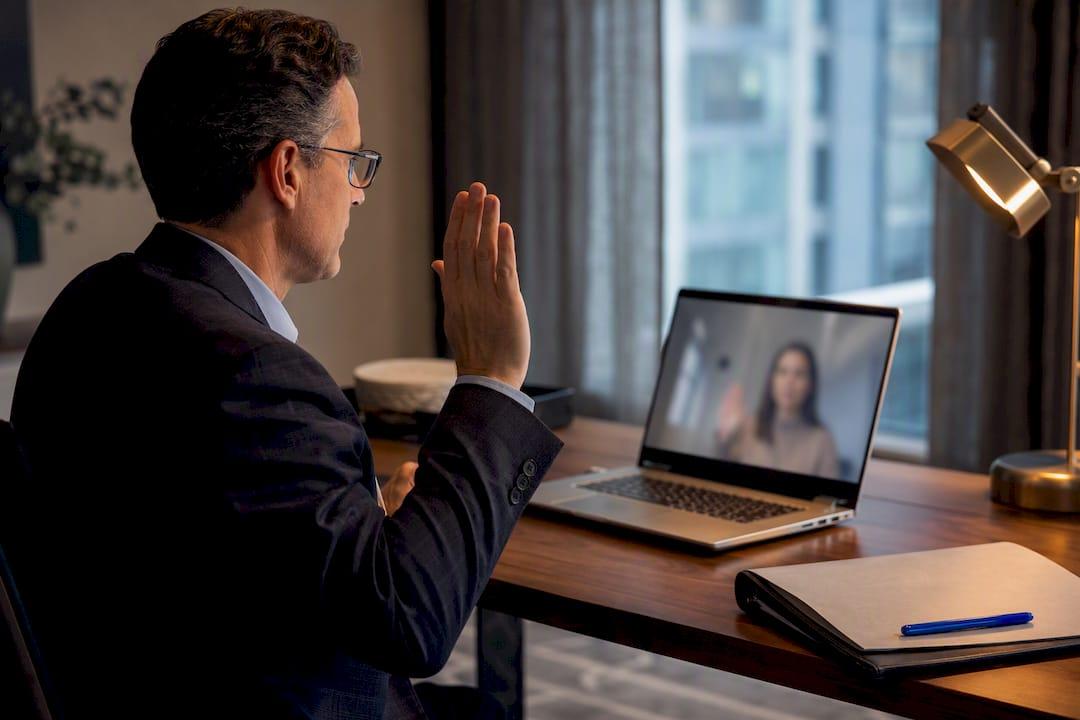
Yes, Ontario permits remote commissioning when the conditions of O. Reg. 431/20 are met. That means real-time audiovisual contact between you and the commissioner, confirmed identity, and a modified jurat with proper record-keeping. Before booking any session, confirm the receiving organization will actually accept a remotely commissioned document. Skip that step and you risk redoing the whole process in person.
TL;DR:
- Confirm the receiving organization accepts remotely commissioned documents before booking to avoid in-person redoing.
- Ensure the session includes real-time audiovisual contact, verified identity, a proper modified jurat citing locations, and a stamped or stamp-like indication.
- Prepare documents, ID, and test technology beforehand, and follow a set sequence to avoid technical or procedural delays.
- Recognize that some organizations may reject remote affidavits due to policy, poor connection, missing details, or international legalization requirements.
- Maintain secure records of each session, use encrypted platforms, and consider accommodations to improve accessibility during remote commissioning.
Table of Contents
- What Remote Commissioning Means in Ontario and Who Can Do It
- What the Law and Official Guidance Actually Require
- How a Remote Commissioning Session Actually Works
- Getting Ready: A Preparation Checklist Before You Log On
- Why Some Organizations Still Reject Remotely Commissioned Documents
- Keeping Records Safe and Sessions Accessible
- When In-Person Commissioning Is the Safer Choice
- What I've Seen Go Right and Wrong With Remote Sessions
- Book a Compliant Remote Commissioning Session With Theonlinenotary
- Sources
What Remote Commissioning Means in Ontario and Who Can Do It
Remote commissioning is the act of administering an oath or declaration without the commissioner and the deponent sharing a room, provided the conditions in O. Reg. 431/20 are satisfied. It is not a workaround or a gray area. It is a defined legal process with specific technical and documentary requirements attached to it.
The documents that typically qualify include affidavits, statutory declarations, and solemn declarations, along with certain witnessing actions tied to those forms. Notarizations sit in a different category. A notarized document, like a certified true copy, often involves different verification steps, and some recipients (particularly foreign governments or institutions requiring an apostille or legalization) may demand a physical notary seal that a remote session cannot always replicate to their standard.
Commissioners for taking affidavits, along with lawyers, paralegals, and other individuals authorized under Ontario law, can perform remote commissioning. Not every legal professional automatically qualifies to notarize documents, and not every commissioning act translates into something a foreign authority will recognize. If your document is headed outside Canada, that distinction between commissioning and notarization matters more than most people realize, and it's worth reading up on online notary legalities in Ontario before you assume one covers the other.
What the Law and Official Guidance Actually Require
O. Reg. 431/20 lays out the conditions in plain enough language, but missing even one of them can invalidate the whole session. The regulation requires:
- Real-time audiovisual communication between the commissioner and the person signing, using technology that lets both parties see and hear each other simultaneously.
- Identity confirmation, done in a way the commissioner can reasonably verify against government-issued identification.
- A modified jurat that states the physical locations of both the deponent and the commissioner at the time of the oath.
- Stamp information, where the commissioner is required to use one, included on the document even when a physical stamp can't be pressed onto it.
- Reasonable precautions against fraud or impersonation, judged by the circumstances of each session.
- A record of the transaction, kept by the commissioner after the fact.
The Ministry of the Attorney General's guide for newly appointed commissioners includes sample jurat wording built specifically for remote sessions. That modified language typically states where the deponent was located, where the commissioner was located, and that the oath was administered in compliance with O. Reg. 431/20. Skipping that citation, or leaving out either location, is one of the more common ways a remotely commissioned document gets flagged.
Stamp placement matters just as much as the wording. Where a commissioner's stamp is required, the guide directs that either an imprint of the stamp or the equivalent stamp information (name, appointment details, expiry) must appear somewhere on the document, since a wet stamp obviously can't cross a video call.
The Law Society of Ontario's remote commissioning guidance goes a step further for licensees, recommending a checklist approach to reduce identity and fraud risk during each session. If you want to see how these rules translate into an actual document, Theonlinenotary's affidavit preparation guide walks through formatting alongside the legal requirements.
How a Remote Commissioning Session Actually Works
A compliant session follows a fairly predictable sequence, and knowing it ahead of time saves you from a wasted call.
- Confirm acceptance first. Contact whoever will receive the document (a court, employer, government office, financial institution) and ask directly whether they accept remotely commissioned affidavits or declarations. This single step prevents more failed sessions than any technical issue does.
- Test your technology. Check your camera, microphone, and internet connection before the appointment. A frozen screen mid oath is more than an inconvenience; it can undercut the "real time" requirement the regulation demands.
- Gather your documents and ID. Have the unsigned document ready, along with government-issued photo identification you can hold up to the camera.
- Verify identity on camera. The commissioner will ask you to display your ID clearly, sometimes asking follow-up questions to cross-check details against the document.
- Take the oath or affirmation. The commissioner administers the oath verbally, and you respond in real time, on camera, without prerecording or delay.
- Sign while observed. You sign the document while the commissioner watches through the video connection.
- Complete the modified jurat. The commissioner fills in both locations, cites O. Reg. 431/20, and adds their stamp imprint or stamp information.
- Keep the record. The commissioner retains a log of the transaction, and you follow up on delivering originals or certified copies if the recipient requires them.
Pro Tip: Have a second light source pointed at your face, not just overhead lighting. Commissioners need to clearly match your face to your ID photo, and shadows from a single ceiling light cause more failed verifications than people expect.
Getting Ready: A Preparation Checklist Before You Log On
A little preparation on your end avoids most of the friction that derails remote sessions.
- Have at least one, ideally two, pieces of government-issued photo ID within reach (a driver's license and a passport cover most cases).
- Print or have the unsigned document open and ready. Some commissioners require it to stay unsigned until the session begins.
- Know where the jurat and stamp section sits on the document so you're not fumbling for it on camera.
- Position your camera at eye level, in a room with steady lighting and minimal background noise.
- Test your internet connection ahead of time. A wired connection beats spotty Wi-Fi for a process that depends on continuous, real-time video.
- Choose a private space. Other people visible or audible in the background can raise questions about undue influence or confidentiality.
- Ask the commissioner in advance whether you'll need to mail originals afterward, and if so, to what address.
Skipping the ID check is the most common self-inflicted delay. If your license photo is a decade old or your name has changed since it was issued, flag that before the call starts rather than during it.
Why Some Organizations Still Reject Remotely Commissioned Documents
Nothing in provincial law forces a receiving organization to accept a remotely commissioned affidavit or declaration. That's the single biggest gap between "this is legal" and "this will get accepted," and it catches people off guard constantly.
Rejections tend to come from a short list of recurring causes:
- The recipient's internal policy simply doesn't recognize remote commissioning, regardless of what Ontario law permits.
- The video connection or ID verification during the original session was poor quality, and the recipient can't independently confirm compliance.
- The jurat is missing required details, like the stated locations or the O. Reg. 431/20 citation.
- The document is headed to a foreign jurisdiction that requires legalization or an apostille, which often assumes in-person notarization.
- Confusion between commissioning and notarization leads someone to reject a properly commissioned document because they expected a notarized one.
Pro Tip: If a recipient hesitates, ask them to state their objection in writing. Half the time it clears up a misunderstanding about what "remote commissioning" actually means, rather than a genuine policy barrier.
Mitigating these risks starts with confirming acceptance before you book anything, following the Law Society's remote commissioning checklist, keeping your original signed documents, and asking your commissioner to send certified true copies when a recipient wants physical proof. If none of that satisfies them, in-person commissioning remains the fallback.
Keeping Records Safe and Sessions Accessible
O. Reg. 431/20 requires commissioners to keep a record of each remote transaction, and that obligation doesn't disappear once the call ends. A solid record typically includes the date and time of the session, the platform used, the names of everyone present, and a summary of how identity was confirmed.
Security matters just as much as the paperwork. A few practices go a long way:
- Use a platform with end to end encryption rather than an unsecured public link.
- Avoid recording sessions unless both parties consent and storage is genuinely secure.
- Confirm the commissioner has a documented retention policy for session records and ID summaries.
- Ask about backup arrangements if the video connection drops mid session.
Accessibility deserves attention too. Commissioners should reasonably accommodate participants who need larger text, screen readers, sign language interpretation, or extra time to communicate clearly during identity checks. If you anticipate needing an accommodation, mention it when booking rather than during the call itself.
When In-Person Commissioning Is the Safer Choice
Remote commissioning covers most everyday situations, but a few red flags point toward booking an in-person appointment instead.
If the receiving organization has already said no to remote commissioning, don't gamble on a video session anyway. Documents headed for international use, especially where legalization or an apostille is involved, often need in-person handling regardless of what's legal domestically. Complex capacity concerns, where a commissioner needs to closely observe someone's understanding or condition, are also harder to assess reliably through a screen.
And if your document actually requires notarization rather than commissioning, a remote commissioning session won't solve the problem no matter how well it's executed. When in doubt, or when a recipient insists on a physically stamped original, in-person is the direct path forward.
What I've Seen Go Right and Wrong With Remote Sessions
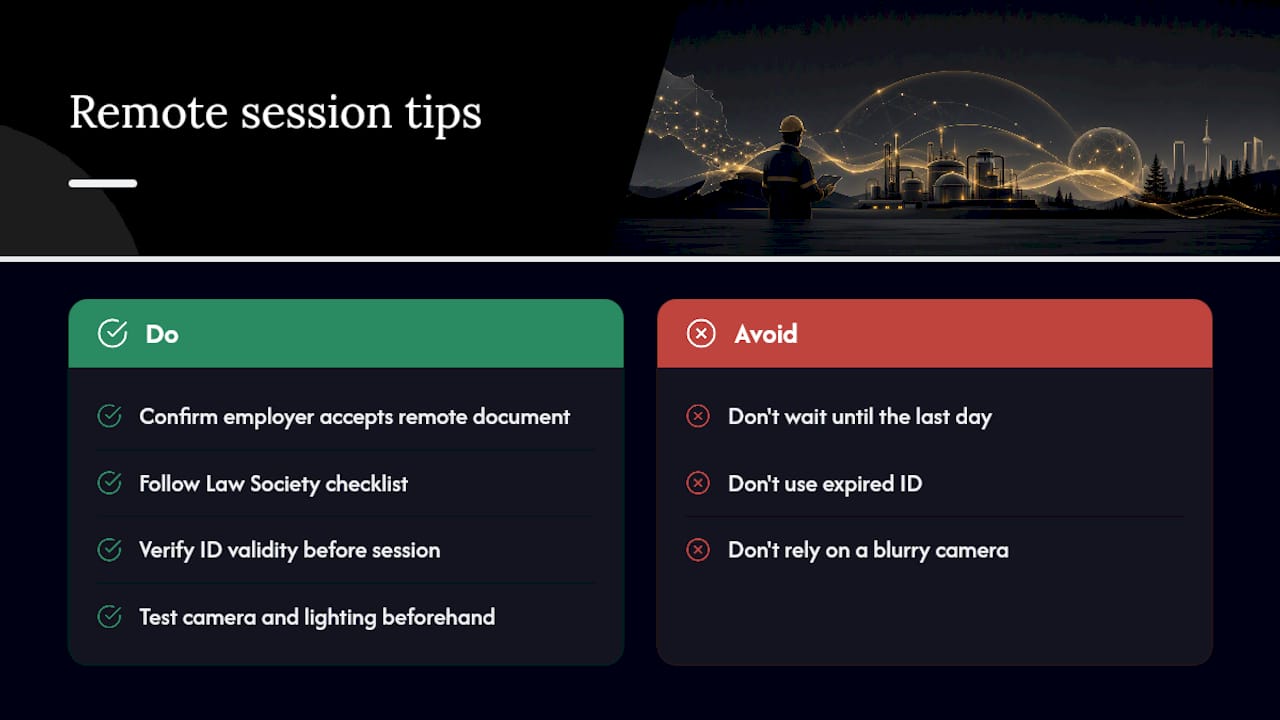
Most remote commissioning requests fall into two categories: someone renewing paperwork for an employer who's never seen a remotely commissioned affidavit before, or someone dealing with a statutory declaration for a government form with a tight deadline. The employer cases usually stall on acceptance, not law. Once someone at HR confirms they'll take a properly executed remote document, the actual session runs smoothly.
The deadline cases go wrong for a different reason: people wait until the last possible day, then discover their ID has expired or their camera won't focus close enough for a clear verification. Following the Law Society's checklist approach isn't bureaucratic overkill; it's what keeps a five minute session from becoming a rescheduled one. For readers who want the fuller mechanics behind the process, Theonlinenotary's guide to how the online notary process works breaks down the platform and verification steps in more detail.
— Ken
Book a Compliant Remote Commissioning Session With Theonlinenotary
Remote commissioning services for affidavits, statutory declarations, solemn declarations, invitation letters, and remote witnessing for wills and powers of attorney are available throughout Ontario. Every session follows the regulator checklist approach outlined above: real-time identity verification, properly worded modified jurats, and documented records kept after each call.

That means less guessing about whether your document will hold up once it reaches its destination, and no need to track down an in-person appointment when your schedule doesn't allow for one. If your document is a statutory declaration specifically, it helps to understand who signs statutory declarations in Ontario before your session, since the wrong signer is a common reason documents bounce back. Book your session through Theonlinenotary's services page and get your documents commissioned correctly the first time.
Sources
- O. Reg. 431/20: Administering Oath or Declaration Remotely
- Remote commissioning — Law Society of Ontario