
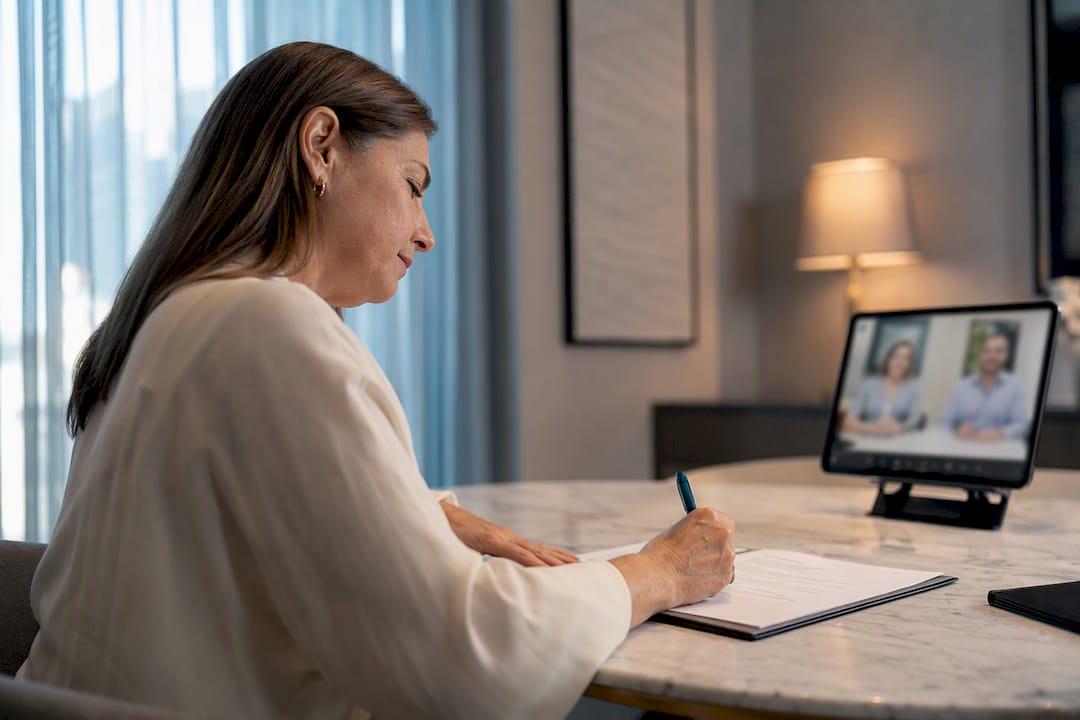
Yes, Ontario permits remote witnessing of powers of attorney, but only when two conditions are both met: everyone signs identical counterparts contemporaneously on a video call, and at least one of the two witnesses is a licensee of the Law Society of Ontario. Miss either condition and the document risks rejection down the line. Affidavits aren't legally required, but most practitioners swear one anyway to create a paper trail nobody can argue with later.
TL;DR:
- Participants must sign identical counterparts during the same video call, and at least one witness must be licensed by the Law Society of Ontario; missing either invalidates the document.
- The signing process requires a stable real-time audiovisual platform, with signatures confirmed on camera and all counterparts signed within the same session.
- A witness cannot be the attorney, their spouse or partner, or a close family member, and the licensee witness must verify identities and observe capacity issues diligently.
- An affidavit of execution, sworn after signing, is strongly recommended to provide legal proof and protect against future disputes, especially with financial institutions.
- Proper preparation, including verifying identities beforehand and documenting the process, reduces common procedural errors that lead to invalidation of remote POAs.
Table of Contents
- What Does Ontario Law Actually Require for Remote POA Witnessing?
- Who Can and Cannot Witness a Power of Attorney in Ontario?
- How Do You Run a Compliant Remote POA Signing Step by Step?
- Do You Need an Affidavit or Notarization for a Remote POA?
- What Mistakes Most Often Invalidate a Remote POA?
- What Do Banks and Institutions Expect After a Remote Signing?
- How The Online Notary Handles Remote POA Signings
- Why Most "Remote-Friendly" POA Advice Misses the Point
- Complete a Compliant Remote POA Signing With Theonlinenotary
- Where to Verify Ontario's Remote POA Rules Yourself
- Sources
What Does Ontario Law Actually Require for Remote POA Witnessing?
The rules trace back to section 3.1 of the Substitute Decisions Act, 1992, amended permanently through Bill 245 after the pandemic-era temporary orders proved the model worked. The Law Society of Ontario confirms this isn't a temporary accommodation anymore. It's the permanent standard for how Ontarians can execute a continuing power of attorney for property or a power of attorney for personal care without everyone sitting in the same room.
The contemporaneous signing rule is the part people trip over most. Every party, the grantor and both witnesses, must be watching each other sign in real time over an audiovisual connection, each working from an identical copy of the document. Sign your page Tuesday and mail it, while your witness signs Thursday, and you've broken the chain. The statutory requirement treats that gap as fatal to the document's validity, not a minor technicality.
The second condition is the licensee rule. Ontario requires two witnesses for a POA, and when they're signing remotely rather than in the same physical room, at least one of those two witnesses must be a lawyer or paralegal licensed by the Law Society of Ontario. This is the detail that trips up DIY signings between family members using a generic video call. Two neighbors witnessing over Zoom does not satisfy section 10 unless one of them happens to hold an LSO license.
What the statute does not require is worth knowing too:
- No mandatory notarization. A POA is a witnessed document, not a notarized one, under Ontario law.
- No government-issued regulations specify approved video platforms, camera angles, or recording formats.
- No requirement that the licensee witness be the person who drafted the document.
- No obligation to swear an affidavit of execution, though it's strongly recommended.
That gap between "legally sufficient" and "practically defensible" is where most remote POA signings actually go wrong.
Who Can and Cannot Witness a Power of Attorney in Ontario?
Ontario disqualifies certain people from acting as POA witnesses regardless of whether the signing happens in person or remotely, and the remote context makes it easier to accidentally break this rule since you're not always looking someone in the eye across a table.
- The named attorney cannot witness. If your sister is being appointed as your attorney for property, she cannot also serve as one of your two witnesses.
- The attorney's spouse or partner is disqualified. This closes an obvious loophole where a couple simply swaps witnessing duties.
- The grantor's own spouse or partner cannot witness, even if they support the decision entirely.
- Children of the grantor or the attorney are excluded in most standard drafting practice, since they carry an inherent conflict of interest.
- Anyone under 18 cannot witness a POA in Ontario. There is no exception for a mature teenager, however capable they seem.
- A person acting under their own guardianship or incapacity arrangement should not witness, since their own legal capacity is already in question.
Practical witness selection usually comes down to picking a colleague, a friend outside the immediate family, or the professional handling the signing. When a remote session requires an LSO-licensee witness, that person typically also confirms identity documents, watches for hesitation or confusion that might signal capacity issues, and makes sure both counterparts get signed in the same sequence, on camera, before the call ends. The Law Society's own guidance treats that watchfulness as part of the licensee's professional duty, not an optional courtesy.
How Do You Run a Compliant Remote POA Signing Step by Step?
A remote signing that holds up later isn't improvised. It follows a sequence, and skipping steps is exactly how people end up with a document a bank later refuses.
- Finalize the document before the call. Every substantive edit needs to happen beforehand. Nobody should be redlining clauses live on video.
- Prepare identical counterparts. Print or generate the exact same version for the grantor and each witness. A single typo difference between copies can undermine the counterpart requirement.
- Confirm identity and capacity in advance. A quick pre-call check, ideally with government photo ID visible, avoids surprises once everyone's on the record.
- Choose a stable video platform with real-time audio and video, not a phone call with a photo sent after. Have a backup connection ready in case the primary drops.
- Frame the camera so hands and the signature page are visible, not just faces. A witness who can't actually see the pen touch paper isn't witnessing much.
- Get consent before recording, if you plan to record the session at all. Documenting the audiovisual session can help later, but Ontario's privacy rules mean everyone needs to agree first.
- Open the live session with introductions and a capacity check. The grantor should state, in their own words, that they understand what they're signing and why.
- Sign all counterparts within the same continuous call, in view of both witnesses, with each witness then signing their own counterpart pages while still connected.
- Confirm every signature landed on every counterpart before ending the call. This is the moment to catch a missed initial or an unsigned page.
- Arrange for an affidavit of execution afterward, if you're using one, either with the LSO-licensee witness or through separate commissioning.
- Deliver original signed counterparts to wherever they need to live, whether that's a law firm's file, a safety deposit box, or directly to a financial institution.
Pro Tip: Keep a simple written log of the call, the date, start and end time, platform used, and who was present, even if you don't record video. That log alone has saved more than one contested POA when a bank asked questions six months later.
Do You Need an Affidavit or Notarization for a Remote POA?
Ontario law doesn't require notarization for a power of attorney. What it requires is two properly qualified witnesses, full stop. Notarization and witnessing solve different problems, and conflating them is a common source of confusion for people searching for remote notarization Ontario services when what they actually need is a compliant witnessing.
An affidavit of execution is different from notarization. It's a sworn statement, typically from one of the witnesses, confirming exactly how, when, and where the signing happened. It's optional, but practitioners lean toward it because it converts an unrecorded event into a document with legal weight if anyone ever questions the signing later. Affidavits create evidentiary clarity that a bare signature page simply doesn't offer.
Remote commissioning of that affidavit follows its own separate rule set under O. Reg. 431/20, which requires a modified jurat disclosing exactly where the commissioner and the person swearing the affidavit were physically located during the call.
An affidavit is worth insisting on when:
- A bank or financial institution will need to rely on the POA for account access or transactions.
- The grantor's assets span more than one province or country, where "witnessed but unworn" documents get more scrutiny.
- Family relationships are strained enough that a future challenge seems plausible.
- The grantor's health or cognitive state at signing might later become a point of dispute.
What Mistakes Most Often Invalidate a Remote POA?
The failures that show up again and again aren't exotic. They're procedural shortcuts that felt harmless in the moment.
- Non-simultaneous signing. Someone signs early, someone signs late, and the counterparts never actually converge on one shared moment. This is the single most common way a technically well-drafted POA falls apart.
- Using disqualified family members as witnesses, often because they were simply the people available on short notice.
- Skipping real identity verification, especially when a grantor is signing from a device the witness has never used with them before.
- Treating the video call as a formality rather than a genuine capacity check, rushing through introductions to get to the signature page.
Mitigating these risks doesn't require exotic tools, just discipline. Use a written checklist every time, not just for the first signing. Verify photo ID against the person on screen rather than assuming. Record the session when everyone consents. Swear an affidavit afterward as routine practice, not a special-case add-on. And for grantors showing any signs of cognitive decline, confusion, or family pressure, an in-person signing with a lawyer physically present is worth the inconvenience.
It's tempting to think a judge can simply fix a botched signing after the fact. Section 10(4) of the Substitute Decisions Act does give courts narrow discretion to validate a technically non-compliant POA in limited circumstances, but that's a court application, months of delay, and legal fees, not a safety net anyone should plan around. Prevention costs a fraction of what litigation does.
What Do Banks and Institutions Expect After a Remote Signing?
Getting the signing right is only half the job. The document still has to survive contact with the outside world, and financial institutions in particular have their own comfort thresholds.
- Original signed counterparts, not scans or photocopies, are what most banks and land registries want to see first.
- An affidavit of execution frequently smooths the process, especially at institutions unfamiliar with remote-witnessed documents.
- Certified true copies may be requested when the original needs to stay with a law firm or in a safety deposit box.
- A clear paper trail, including the signing log mentioned earlier, helps resolve any pushback quickly rather than triggering a drawn-out review.
If an institution refuses to accept a remotely executed POA outright, the fastest fix is usually contacting the lawyer or paralegal who witnessed it and requesting a supporting affidavit or a direct confirmation letter. Escalating to a branch manager or compliance officer with that documentation in hand resolves most disputes without needing a court application.
How The Online Notary Handles Remote POA Signings
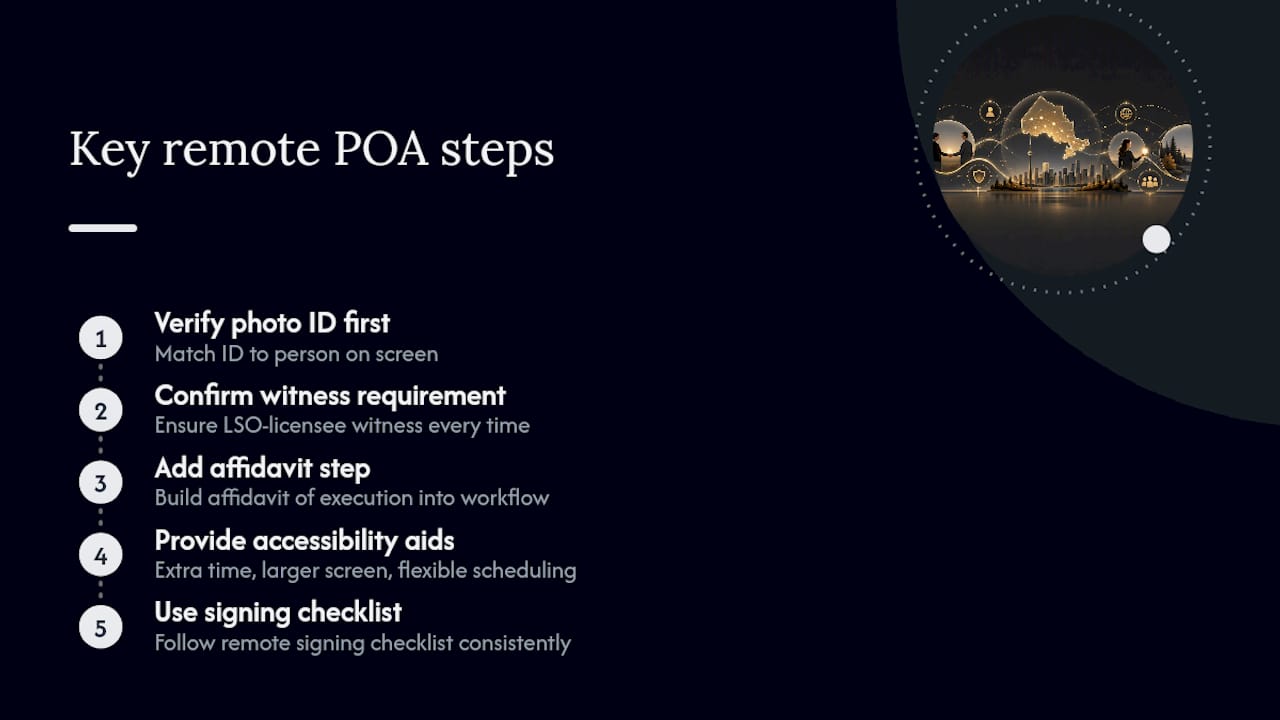
Running these sessions well is less about legal theory and more about not letting a single procedural detail slip during a live call. Theonlinenotary handles remote witnessing, commissioning, and notarization work across Ontario, and the operational habits that matter are the boring ones: verifying photo ID against the person on screen before the call moves forward, making sure the LSO-licensee witness requirement is satisfied every time rather than assumed, and building the affidavit of execution into the workflow as a standard step rather than an afterthought.
Ken, who writes on Ontario notarial practice for Theonlinenotary, has spent years watching where remote signings actually break down, and it's rarely the video technology. It's skipped steps. Accessibility accommodations, extra time for grantors who need things explained twice, larger screen sharing, flexible scheduling around medical appointments, get built into the process rather than treated as exceptions. A remote signing checklist followed consistently is what actually protects a document, not the platform it was signed on.
Why Most "Remote-Friendly" POA Advice Misses the Point
Most articles on this topic treat the statute as the finish line. Meet the two conditions, get the counterparts signed, done. That's technically accurate and practically incomplete. The real risk in remote POA execution isn't legal noncompliance, it's evidentiary weakness. A POA can satisfy section 3.1 to the letter and still get challenged eighteen months later because nobody can prove what actually happened on that call.
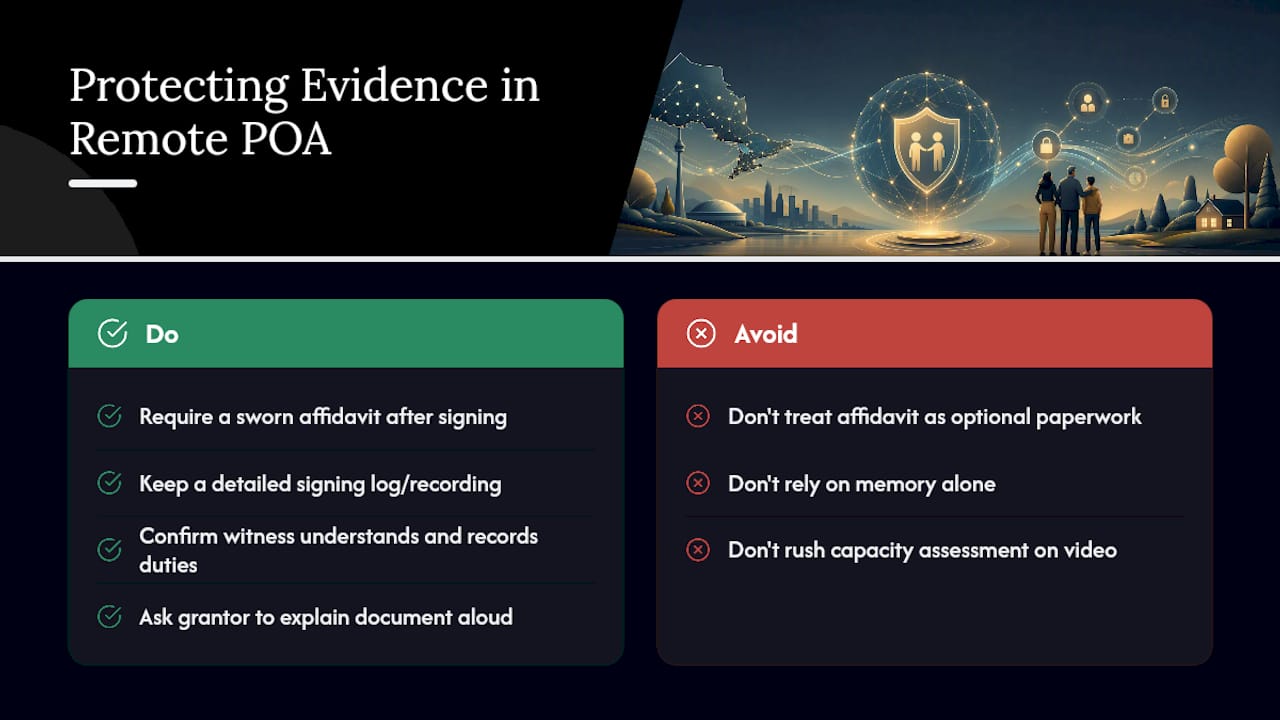
That's the gap the affidavit fills, and it's why I'd push back on anyone treating it as optional paperwork rather than a core part of the process. An unsworn, unrecorded remote signing is a document resting entirely on memory if a family member ever disputes it. A signing log, an affidavit, and a licensee witness who actually understood their duty that day turn a fragile document into one that survives contact with a skeptical bank clerk, a suspicious sibling, or a judge.
The other underrated point: capacity assessment on video is genuinely harder than in person, and pretending otherwise does grantors a disservice. A good witness slows down, asks the grantor to explain the document in their own words, and watches for hesitation the camera might otherwise flatten out. That extra five minutes is cheap insurance against a much longer legal fight later.
— Ken
Complete a Compliant Remote POA Signing With Theonlinenotary
Theonlinenotary is the direct route to a remote POA signing that satisfies Ontario's statutory requirements without the guesswork of coordinating your own witnesses, checking their eligibility, and hoping a bank accepts the result later. Every session includes an LSO-licensed witness by design, runs through the contemporaneous counterpart process the law demands, and offers an affidavit of execution on request for anyone who wants a stronger evidentiary record.

Instead of scrambling to find a qualifying witness or risking a technicality that voids months of planning, book a session directly through the Theonlinenotary services page and get the entire signing, witnessing, and optional affidavit handled in one appointment.
Where to Verify Ontario's Remote POA Rules Yourself
Reading the primary sources takes fifteen minutes and settles most doubts.
- The Law Society of Ontario's FAQ on remote execution lays out the practical conditions lawyers and paralegals must follow.
- The Substitute Decisions Act, 1992, on e-Laws contains the actual statutory text behind sections 3.1 and 10.
- Practitioner analysis from Hull and Hull LLP breaks down the gap between bare statutory compliance and defensible best practice.
- For anyone dealing with sworn statements alongside a POA, Theonlinenotary's guide to types of affidavits in Ontario covers how affidavits of execution fit into the broader picture.
This article is general information, not a substitute for advice from a qualified lawyer. Consult a qualified legal professional about your own circumstances before acting on anything here.
Sources
- FAQs about remotely executing wills and powers of attorney - Law Society of Ontario
- Executing Powers of Attorney Virtually: Statutory Requirements vs. Best Practices - Hull and Hull LLP