
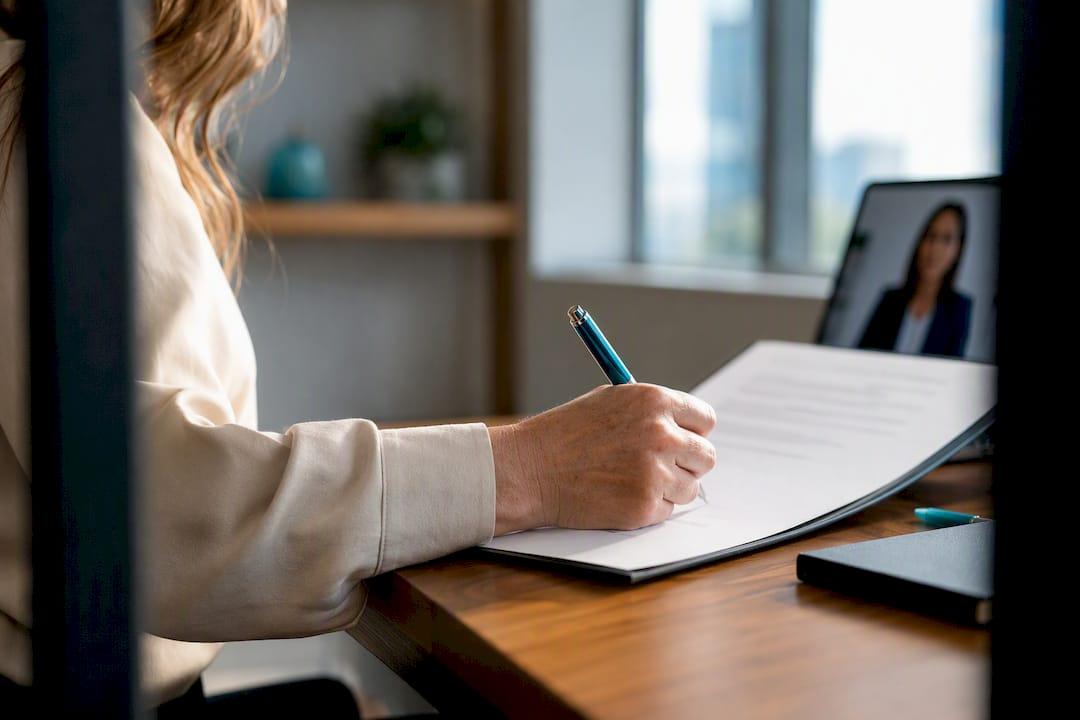
There is no fixed legal duration for remote witnessing in Ontario. What matters is whether the session meets the audio-visual presence and witness requirements under the law, and whether the licensee conducting it is satisfied about identity and capacity. In practice, that means a straightforward will signing might wrap up relatively quickly, while a complex estate matter can run considerably longer once you factor in identity checks, document review, and courier logistics.
TL;DR:
- The duration of remote witnessing in Ontario depends on the complexity of the estate, identity and capacity verification, and technological reliability, with simple cases taking about 20 to 45 minutes.
- There are no set time limits, and the process should be guided by the licensee's professional judgment, especially when concerns about capacity or identity arise.
- Preparing documents in advance, conducting a tech check, and verifying ID on camera help keep remote sessions efficient and compliant.
- Interruptions or technical issues do not automatically invalidate a session, but they require careful documentation, and repeated or unresolved gaps can raise legal challenges.
- Remote witnessing generally can be faster and more flexible than in-person signing, especially for geographically distant signers, but complex capacity issues still benefit from face-to-face interaction.
Table of Contents
- What Ontario Law Actually Says About Remote Witnessing Duration
- Why There's No Time Limit and What Actually Drives the Clock
- The Typical Remote Witnessing Timeline, Step by Step
- Who Is Allowed to Witness Remotely and Why It Matters for Timing
- When Remote Witnessing Should Be Avoided
- How Experienced Providers Keep Sessions Efficient and Compliant
- Common Problems During Remote Sessions and How to Fix Them
- What Happens Legally If a Session Gets Interrupted
- Remote Witnessing Versus In-Person: Which Is Actually Faster?
- A Practitioner's View on Speed Versus Safeguards
- Book a Compliant Remote Witnessing Session With Theonlinenotary
- Sources
- FAQ
What Ontario Law Actually Says About Remote Witnessing Duration
Ontario didn't have a remote witnessing option until the pandemic forced the issue, and lawmakers made the change permanent through Bill 245, the Accelerating Access to Justice Act, 2021. That legislation amended the Succession Law Reform Act and the Substitute Decisions Act to allow wills and powers of attorney to be signed and witnessed over live video instead of requiring everyone in the same room.
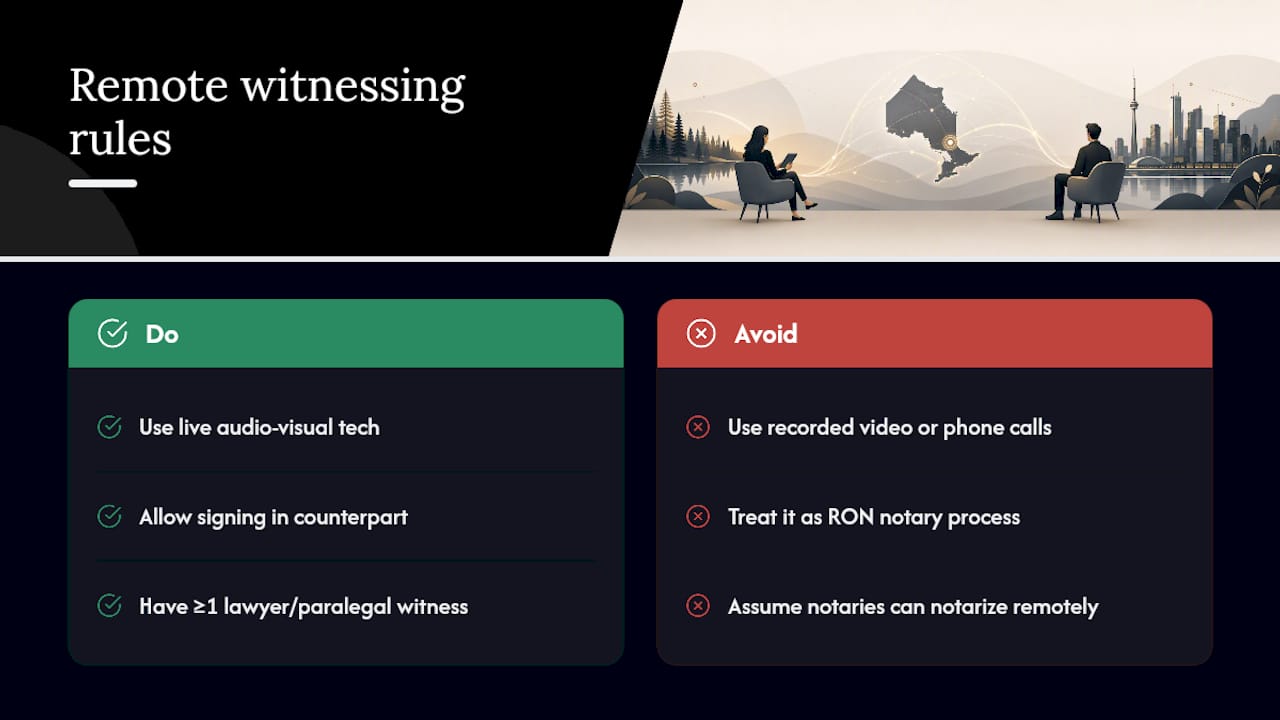
The operational rules live in O. Reg. 129/20, which sets three conditions. First, the witnessing has to happen in real time using audio-visual technology, not a recorded video or a phone call. Second, the parties can sign in counterpart, meaning each person signs their own physical copy of the document rather than passing a single page around. Third, at least one of the two required witnesses must be a licensee under the Law Society Act, meaning a lawyer or paralegal in good standing.
It's worth separating this from two other things people confuse it with. Remote witnessing is not the same as the US-style "remote online notarization" model, where a commissioned notary stamps a document entirely online start to finish. Ontario notaries public still cannot exercise notarial powers remotely, according to a Law Society of Ontario notice confirming the Notaries Act has no such allowance yet. Remote commissioning of oaths and affidavits is a related but distinct process governed by its own rules.
Why There's No Time Limit and What Actually Drives the Clock
The regulation cares about contemporaneous presence, not elapsed minutes. Nothing in O. Reg. 129/20 or the Succession Law Reform Act sets a floor or ceiling on how long a session should last. The Law Society of Ontario says explicitly that duration depends on the complexity of the matter and the licensee's own professional judgment, not a clock.
That judgment call gets shaped by a handful of real factors:
- Identity verification. Confirming government-issued photo ID on camera takes longer when lighting is poor or a webcam angle hides half the document.
- Capacity assessment. A licensee has to observe and question the signer enough to document that capacity exists, which the Law Society notes can extend a session considerably for borderline cases.
- Document complexity. A simple single-page POA moves faster than a multi-page will with trust provisions or blended-family considerations.
- Counterpart logistics. Each signer needs their own identical physical copy, and getting those copies synchronized before the call adds prep time.
- Technology reliability. Dropped calls, frozen video, or unfamiliar platforms eat minutes fast.
As a rough guide, a simple will witnessing often runs 20 to 45 minutes once everyone is connected. More complex matters, especially those involving diminished capacity concerns or multiple counterpart documents, can take substantially longer.
Pro Tip: Block more time than you think you need for a first-time video signing. Almost every delay comes from tech setup or last-minute document confusion, not from the actual signing itself.
The Typical Remote Witnessing Timeline, Step by Step
A well-run remote session follows a predictable rhythm. Here's roughly what to expect from start to finish:
- Document preparation (same day to 48 hours ahead). Clean, identical copies go out to every signer along with clear instructions on where to sign and initial.
- Tech check and connection (5 to 15 minutes). Confirming camera angle, audio, and platform access before anything substantive happens.
- ID verification and location confirmation (5 to 10 minutes). The licensee inspects original photo ID on camera and confirms where each party is physically located.
- Capacity and voluntariness assessment (10 to 30-plus minutes). This step scales with complexity. Straightforward POAs move quickly; matters touching on cognitive decline or family conflict take longer and need careful documentation.
- Signing in counterpart and witnessing (10 to 30 minutes). Each party signs their copy while everyone else watches over video, followed by the witnesses signing their own copies.
- Document return. Scanning or couriering signed originals back to a central point isn't part of the live session, but it's part of the total timeline, sometimes adding a day or more.
A simple case can realistically finish in under an hour of live time. More complex cases might take considerably longer before documents are even in transit.
Who Is Allowed to Witness Remotely and Why It Matters for Timing
Ontario requires two witnesses for a remotely executed will or power of attorney, and at least one of them must be a Law Society licensee at the moment of signing, meaning a practicing lawyer or paralegal. That single requirement shapes scheduling more than almost anything else, since coordinating a licensee's calendar alongside the signer's and a second witness's often determines when a session can even happen.
A few eligibility rules narrow the field further:
- Beneficiaries under the will, and the spouses of beneficiaries, cannot serve as witnesses.
- Paralegals can witness signings, but advising on the substance of a will or POA generally falls to lawyers.
- Signing in counterpart is fine as long as every copy is substantively identical. Minor formatting differences across copies don't invalidate the process, but the licensee should confirm and note that the copies match.
Our guide to witness eligibility in Ontario covers these restrictions in more depth.
When Remote Witnessing Should Be Avoided
Remote isn't the right call for every situation, and pushing through anyway creates real legal risk. If a licensee has doubts about capacity, or notices signs of pressure from someone off camera, the Law Society's own guidance is clear: pause, switch to in-person, or decline entirely rather than proceed. The same goes for identity red flags, an ID that doesn't clearly match the person on screen, or answers that don't line up with earlier conversations.
Technical limitations count too. If video quality is too poor to confirm someone is signing of their own free will, or the signer can't display an original ID clearly, that's a signal to stop rather than push through. The Ontario Bar Association's guidance on remote execution echoes this: licensees carry a professional obligation to resolve concerns, insist on meeting in person, or withdraw from the matter altogether. No deadline or convenience factor overrides that judgment.
How Experienced Providers Keep Sessions Efficient and Compliant
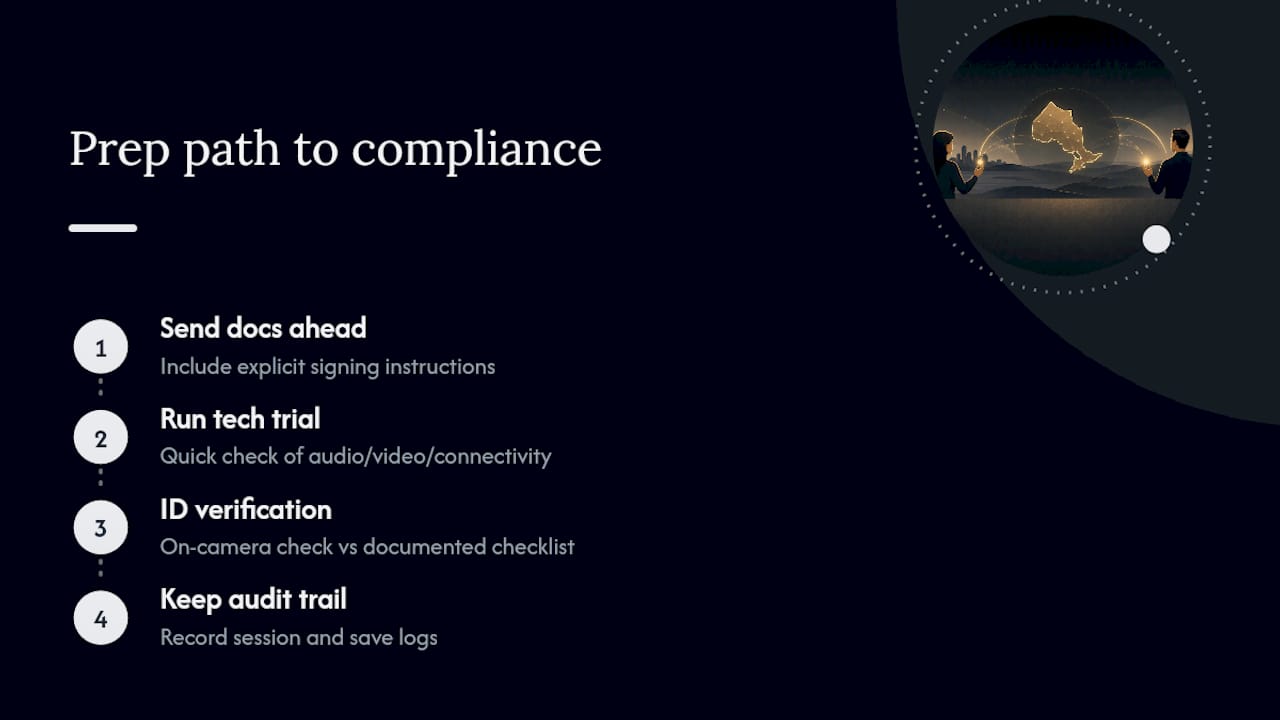
Providers who run remote witnessing regularly build in safeguards that add a little upfront time but save far more downstream. That typically means sending documents in advance with explicit signing instructions, running a quick tech trial before the actual appointment, verifying ID on camera against a documented checklist, and keeping a recorded audit trail of the whole session.
The tradeoff is real: a few extra minutes of prep versus the risk of a session stalling out midway because a copy doesn't match or an ID photo is blurry on screen. At Theonlinenotary, that prep work is standard practice for remote witnessing appointments, and it's the difference between a session that finishes clean in under an hour and one that has to be rescheduled entirely.
Common Problems During Remote Sessions and How to Fix Them
Most delays trace back to a small set of recurring issues. Poor video quality tops the list. A camera that can't clearly show an ID card or a signature line forces the licensee to stop and troubleshoot, which can add 10 minutes or more. The fix is simple: test lighting and camera angle before the actual appointment, not during it.
Mismatched document copies cause the second most common holdup. If one signer printed an earlier draft or a page is missing, the whole session has to pause while a corrected copy gets sent. This is why sending finalized documents at least a day ahead, with a checklist of exactly what to print and sign, matters more than it seems.
Unstable internet connections are a close third. A call that drops mid-signature raises a real question about whether presence was continuous, which matters legally. Using a wired connection instead of Wi-Fi, or having a backup platform ready, prevents most of this.
Finally, unfamiliarity with the platform itself, especially for older clients less comfortable with video calls, slows things down. A five-minute walkthrough call before the real appointment, just to confirm someone can see, hear, and share their screen if needed, resolves this more reliably than trying to troubleshoot live.
What Happens Legally If a Session Gets Interrupted
A dropped connection or a paused session isn't automatically fatal to a document's validity, but it raises questions a licensee has to address carefully. The core legal requirement is contemporaneous presence throughout the signing and witnessing. If a call drops after the signer has signed but before both witnesses have, there's a real argument that the presence requirement wasn't satisfied for the interrupted portion.
The safer approach, and the one reflected in Law Society guidance, is to restart the entire signing process if continuity breaks down in any meaningful way, rather than trying to patch together a session that had a gap. That means re-establishing the video connection, reconfirming everyone's identity and location, and completing the signing and witnessing in one unbroken sequence rather than resuming partway through.
This is also why documenting the session matters. A licensee who keeps a record of start and end times, any interruptions, and how they were resolved gives the finished document a much stronger footing if its validity is ever questioned later, whether by a family member contesting a will or a financial institution reviewing a power of attorney. Interruptions themselves aren't automatically disqualifying, but unresolved doubt about presence and continuity is exactly the kind of gap that invites a legal challenge years down the road.
Remote Witnessing Versus In-Person: Which Is Actually Faster?
In-person witnessing often feels faster because everyone's in the same room and there's no tech setup, but that's only true for the signing itself. Once you count travel time, coordinating three or more people's calendars around a single physical meeting, and the fact that finding a lawyer, paralegal, and second witness available at the same place and time can take days, remote witnessing frequently wins on total elapsed time.
The live signing portion tends to be comparable either way, often 30 to 60 minutes for a standard will or POA. Where remote pulls ahead is scheduling flexibility. A signer in Thunder Bay working with a licensee in Toronto simply isn't a same-day option in person, but it can be a same-day option over video.
Where in-person keeps an edge is in complex capacity situations. Some practitioners still prefer meeting face-to-face when there's real concern about a signer's cognitive state, since subtle physical cues can be harder to read on a screen. For routine wills and powers of attorney without red flags, though, remote witnessing usually matches or beats in-person on total time from start to signed document in hand.
A Practitioner's View on Speed Versus Safeguards
Remote witnessing genuinely expands access, especially for people who are homebound, live rurally, or simply can't coordinate three schedules in one room. But that convenience only holds up if the licensee running it takes the professional judgment part seriously. My advice: build in extra time rather than less, and work with a provider that treats identity checks and documentation as standard, not optional. A session that finishes fast but skips a real capacity assessment isn't actually efficient. It's a liability waiting to surface later.
— Ken
Book a Compliant Remote Witnessing Session With Theonlinenotary
There are alternative services to chasing down a lawyer's office schedule or waiting weeks for an in-person appointment that run remote witnessing for wills and powers of attorney across Ontario on a secure video platform, with a licensee witness built into every session.

Book with us and you'll know what to expect going in: documents reviewed before your appointment, a tech check so the live session doesn't stall on a bad connection, and a clear record of everything that happened during signing. Witnessing wills and POAs is priced at $170 CAD per will, a flat one-time fee with no surprise add-ons. If you need documents notarized separately rather than witnessed, that runs $80 CAD per will or POA. Visit Theonlinenotary to check appointment availability and get your documents ready before you book.
Sources
- O. Reg. 129/20 — Signatures in wills and powers of attorney
- Notice to the professions: Online notary services are not permitted under the Notaries Act — Law Society of Ontario
- Bill 245 — Legislative Business (Ontario)
FAQ
Is remote witnessing of wills legal in Ontario?
Yes. Bill 245 permanently amended Ontario law to permit remote witnessing of wills and powers of attorney, provided the session meets the audio-visual and witness requirements in O. Reg. 129/20.
Can you witness a document virtually in Ontario?
Wills and powers of attorney can be witnessed virtually using real-time audio-visual technology, with at least one of the two witnesses being a Law Society licensee. Other documents, like affidavits, follow separate remote commissioning rules rather than this specific framework.
What are the legal requirements for electronic signatures on wills in Ontario?
Ontario's rules focus on real-time presence and witnessing, not electronic signatures themselves. Parties typically sign physical counterpart copies while connected over live video, rather than using a digital signature tool.
Who can witness a document remotely in Ontario?
Two witnesses are required for a remotely executed will or power of attorney, and at least one must be a licensed lawyer or paralegal under the Law Society Act. Beneficiaries and their spouses cannot serve as witnesses.
How long does a typical remote witnessing appointment take?
Simple wills or powers of attorney often take under an hour from connection to completed signing, while complex matters involving capacity questions or multiple counterpart documents can take significantly more time.