
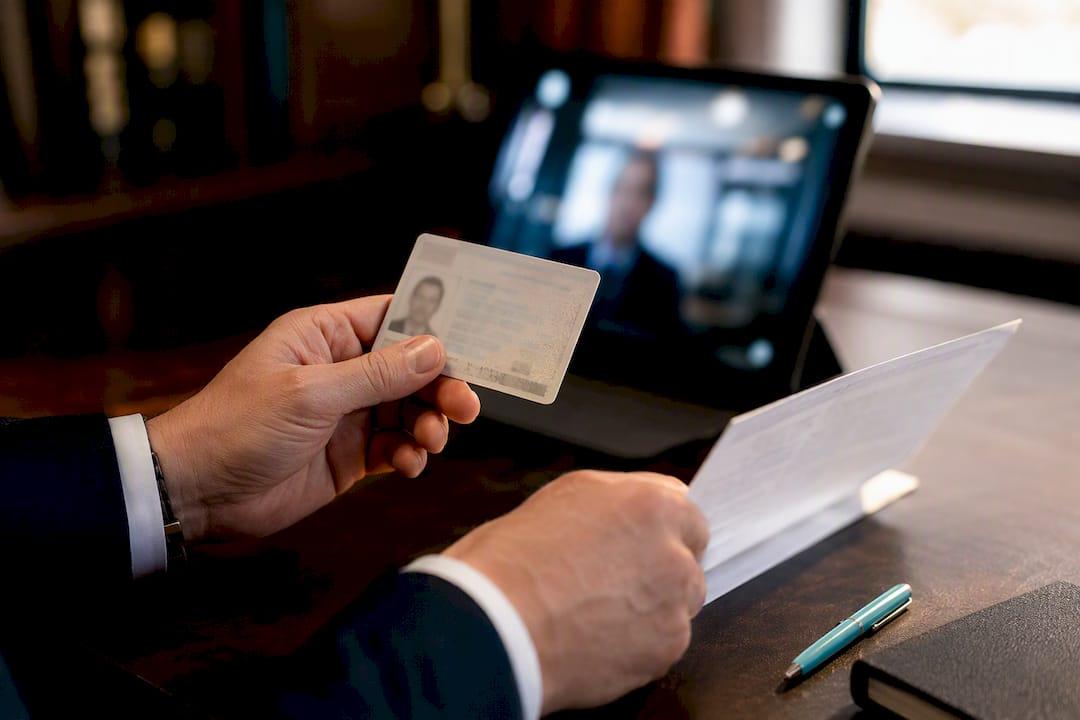
Yes, Ontario allows remote commissioning of affidavits and statutory declarations, but only when specific conditions are met: real-time audio-visual communication, verified identity, a modified jurat, and retained records of the session. Skip any one of these and the document risks rejection later. The Law Society of Ontario and the Ministry of the Attorney General both publish guidance on how to do it properly.
TL;DR:
- Remote commissioning in Ontario requires real-time audio-visual communication, confirmed identity, a modified jurat, and session records to be valid.
- Poor connection quality, low video resolution, or unverified identity can lead to rejection or the commissioner declining the session.
- The law is clarified by regulation O. Reg. 431/20, which equates video presence with physical presence only if communication is continuous and unbroken.
- In-person commissioning remains necessary if connection issues, poor image quality, or signs of coercion hinder proper verification.
- Digital workflows involving electronic signatures do not automatically qualify as remote commissioning under these rules.
Table of Contents
- What Is Video Commissioning in Ontario?
- What Does a Commissioner Have to Do During a Remote Session?
- Where Does the Legal Authority for This Come From?
- What Are the Technical Requirements for Video Commissioning?
- When Should You Insist on In-Person Commissioning Instead?
- A Step-by-Step Checklist for Commissioning by Video
- Do Wills and Powers of Attorney Follow the Same Rules?
- Where Do You Find the Modified Jurat and Official Templates?
- Ken's Take: Remote Commissioning Works, But Only When You Respect the Conditions
- Book a Compliant Video Commissioning Session
- Sources
What Is Video Commissioning in Ontario?
Video commissioning is the practice of swearing or declaring a legal document in front of a commissioner for taking affidavits through live video rather than in the same room. It applies most often to routine sworn documents, not every legal instrument you might sign.
Documents commonly handled this way include:
- Affidavits used in court proceedings, immigration files, or estate matters
- Statutory declarations for name changes, lost documents, or identity confirmations
- Solemn declarations for matters that fall outside the Canada Evidence Act framework
- Invitation letters and consent forms that require a sworn statement
This is not the same as an electronic signature. An electronic signature just captures your consent to a document digitally. Video commissioning involves a commissioner watching you take an oath or make a declaration in real time, then attesting to that fact under the modified jurat. Ontario residents who need a document sworn quickly, without traveling to a law office or a bank branch, are the main audience for this process.
What Does a Commissioner Have to Do During a Remote Session?
The Law Society of Ontario is direct on this point: a commissioner's duty of care does not change just because the meeting happens over video. The same standard applies whether you're sitting across a desk or across a screen.
During a remote session, the commissioner must:
- Confirm your identity against acceptable government-issued ID, visible on camera
- Verify you understand the contents of the document and the significance of swearing or declaring it
- Watch for signs of duress, confusion, or diminished capacity that would exist just as much in person
- Keep a written record of how the session was conducted and what was verified
Pro Tip: Have your ID ready to hold up to the camera before the call starts. Fumbling for a wallet mid-session is the most common reason remote commissioning sessions run long.
The Law Society's guidance on remote commissioning treats this checklist as the baseline for defensible practice, not an optional add-on.
Where Does the Legal Authority for This Come From?
The starting point is the Commissioners for Taking Affidavits Act, which under Section 9 requires a deponent to be "in the presence of" the commissioner. For decades that meant physical presence, full stop.
O. Reg. 431/20 changed that by defining conditions under which remote presence satisfies the Act. When those conditions are met, a video call counts as presence for the purposes of commissioning. The regulation doesn't rewrite the underlying law; it clarifies how "presence" can be achieved using technology. Anyone who wants to read the regulation and the Act in full can find both texts on CanLII, which hosts Ontario's statutes and regulations for free public access.
What Are the Technical Requirements for Video Commissioning?
The regulation's language boils down to one core requirement: the commissioner and the deponent must be able to see, hear, and communicate with each other in real time throughout the entire process. A recorded video sent afterward does not qualify. Neither does a call where the audio keeps cutting out.
To meet this standard in practice:
- Use a video platform with a stable connection and a camera clear enough to read a government ID at arm's length.
- Confirm identity using a valid photo ID, held up to the camera so the commissioner can compare the photo to your face.
- Display the actual document being sworn on camera, not just a description of it, so the commissioner can confirm what's being signed.
- Apply the modified jurat, which must record the remote nature of the administration along with the physical locations of both the commissioner and the deponent at the time of signing.
- Retain a log of the session, including the date, time, platform used, and identity documents checked.
The Law Society's remote commissioning guidance makes clear that intermittent or delayed transmission that prevents proper identity or understanding checks is grounds to stop the call rather than push through it.
When Should You Insist on In-Person Commissioning Instead?
Video calls fail in ordinary ways: a router drops the connection, a phone camera can't focus on fine print, a document photo comes through blurry on a shaky signal. Any of these can compromise the commissioner's ability to verify what actually matters.
Common risk points include:
- Low video resolution that makes it impossible to compare a face to an ID photo
- Audio lag that breaks the "real time" requirement the regulation demands
- Documents that can't be clearly displayed or that appear to have been altered off camera
- A deponent who seems coached, distracted, or under pressure from someone off screen
A commissioner has the discretion to decline or pause a remote session any time these conditions can't be resolved. That discretion isn't a courtesy; it's the same judgment call a commissioner would make in person if something felt off.
Pro Tip: Run a two-minute test call before the actual appointment. It catches bad lighting, dead microphones, and weak Wi-Fi before they cost you a rescheduled session.
Mitigating these risks is mostly about preparation: test the connection ahead of time, use a device with a good camera, sit somewhere with strong lighting, and have documents ready to transfer securely rather than emailed as low-quality scans.
A Step-by-Step Checklist for Commissioning by Video
Before the call:
- Gather the original document, not a photocopy, and have it in hand for the session.
- Prepare valid, current government-issued photo ID.
- Choose a quiet, well-lit space with a stable internet connection.
- Test your camera and microphone on the actual platform you'll use for the appointment.
- Confirm with the commissioner in advance which document, pages, and signature lines are involved.
During the call:
- Show your ID clearly to the camera for verification.
- Confirm out loud that you understand the document's contents and purpose.
- Display each page of the document on camera as instructed.
- Sign where directed while the commissioner watches in real time.
- Wait while the commissioner applies the modified jurat noting both locations and the remote method used.
After the call:
- Keep a copy of the signed document and any confirmation the commissioner provides.
- Send the original by secure courier or in person if a physical copy is required for filing.
- Ask for a record of the session details in case the document's validity is ever questioned later.
If you're preparing an affidavit specifically, our Ontario affidavit guide walks through document prep in more depth, and the statutory declaration guide covers that document type specifically.
Do Wills and Powers of Attorney Follow the Same Rules?
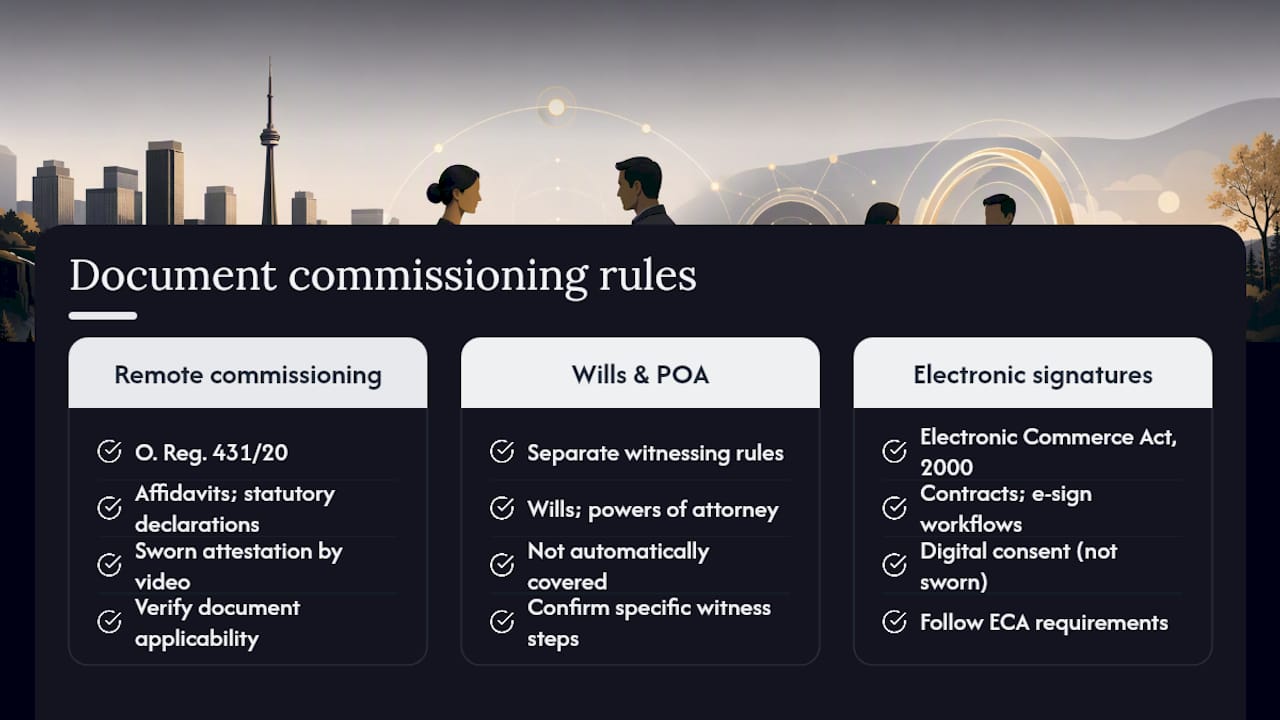
Not exactly. Remote commissioning under O. Reg. 431/20 applies to affidavits and statutory declarations, but wills and powers of attorney carry their own, separate witnessing requirements that don't automatically track the same conditions.
Video commissioning is also a distinct legal process from signing something electronically under the Electronic Commerce Act, 2000, which governs digital consent rather than sworn attestation. If you're dealing with a will, a POA, or anything involving an electronic signature workflow, confirm the specific rules for that document type before assuming remote commissioning covers it. Our guide on witnessing electronic signatures in Ontario breaks down where those two processes diverge.
Where Do You Find the Modified Jurat and Official Templates?
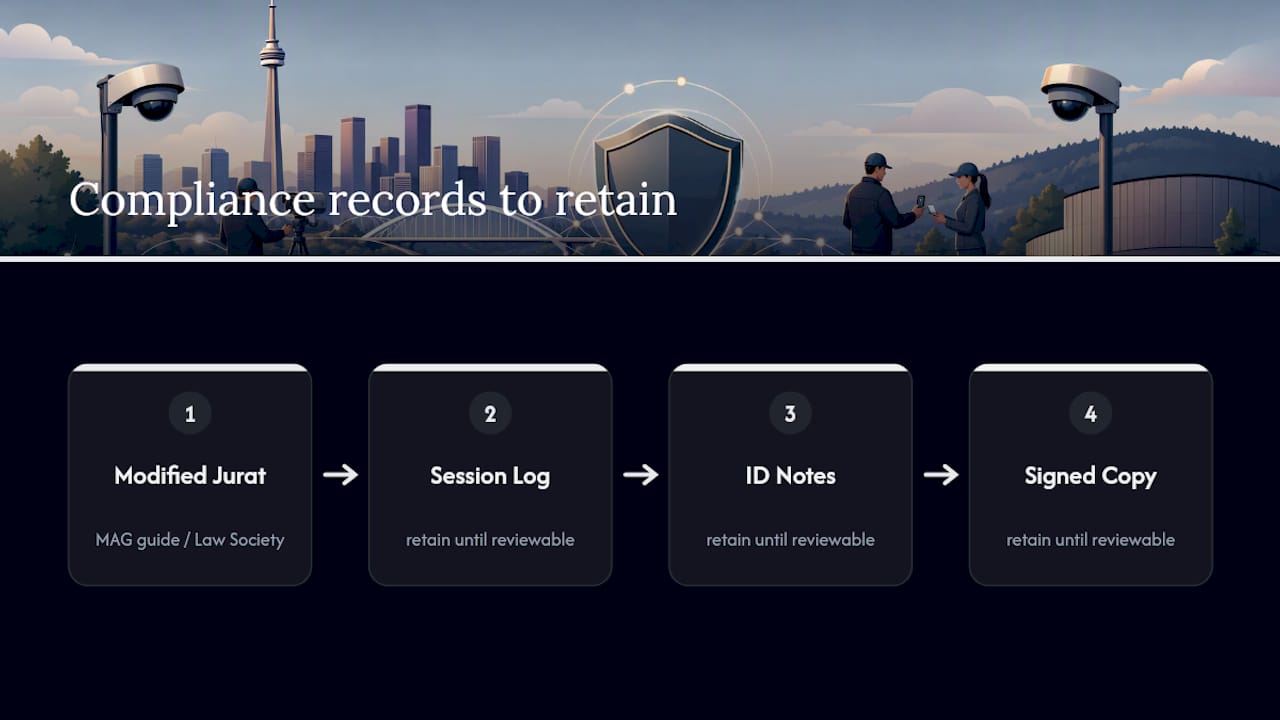
The Ministry of the Attorney General's Guide for newly appointed commissioners includes an example modified jurat, and the Law Society's own remote commissioning page links directly to it. Keep session logs, ID verification notes, and a copy of the signed document for as long as the underlying matter might be reviewed.
For the full legal text, CanLII hosts the Act and the regulation, while Practical Law's Ontario checklist offers a practitioner-level reference point.
Ken's Take: Remote Commissioning Works, But Only When You Respect the Conditions
The regulation isn't a loophole around in-person commissioning; it's a narrow, conditional substitute for it. Use video commissioning when the document is routine, your connection is solid, and identity checks are clean. Push for in-person commissioning the moment any of those conditions wobble. Ontario residents lean on services like The Online Notary precisely because getting the modified jurat wording and the recordkeeping right the first time avoids disputes months down the road.
— Ken
Book a Compliant Video Commissioning Session
Reading the regulation is one thing. Getting a commissioner who applies it correctly, every time, is another. Some online notary services handle remote commissioning for affidavits, statutory declarations, solemn declarations, and invitation letters entirely by video, with the identity checks and modified jurat wording built into every appointment.

Booking works through a scheduled video call rather than a walk-in visit, so there's no driving to an office or waiting on a bank's notary hours. Each session covers identity verification against government ID, a clear on-camera review of the document, the correct jurat language noting both parties' locations, and a retained record of how the appointment was conducted. Fees are set per document, with an additional charge for extra pages. Remote will signing carries its own higher one-time fee due to its separate witnessing requirements. If your document qualifies for remote commissioning, you can book an appointment through our services page and have it sworn the same day.
This article is general information, not a substitute for advice from a qualified lawyer. Consult a qualified legal professional about your own circumstances before acting on anything here.
Sources
- Remote commissioning - Law Society of Ontario
- Commissioning an Affidavit Checklist (ON) - Practical Law
- Commissioners for Taking Affidavits Act (Ontario) — CanLII