
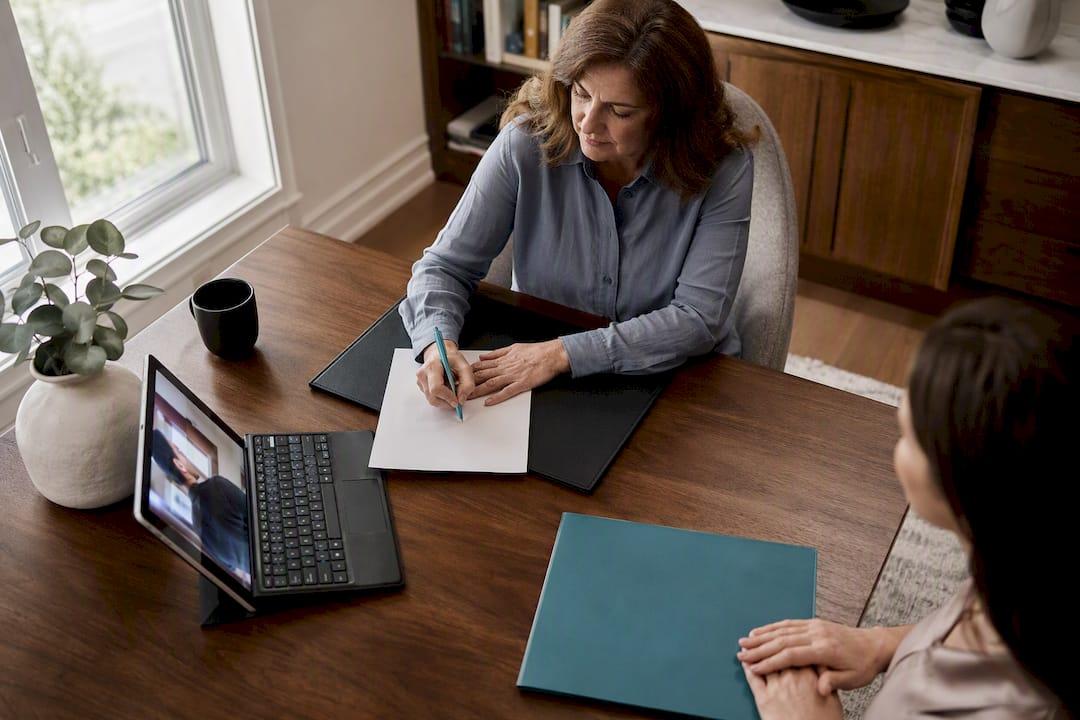
Video witnessing of wills and powers of attorney is legal in Ontario, permanently, under Bill 245 and its supporting regulations. The two constraints that trip people up most are these: at least one of the two witnesses must be a lawyer or paralegal licensed by the Law Society of Ontario, and every signature must happen contemporaneously on the same video call. Documents still need wet ink signatures, and everyone on the call has to confirm their identity.
TL;DR:
- Video witnessing is permanent in Ontario, but requires at least one licensee witness and signatures to be signed during the same live call.
- Counterpart signing allows each party to sign their own copy while remaining connected, with minor formatting differences acceptable as long as the content matches.
- A real-time video connection must be established, and proof of identity confirmed with valid photo ID held up on camera for remote signing to be valid.
- Remote commissioning of affidavits demands a modified jurat, confirmed identity, and proper recordkeeping, distinct from will witnessing regulations.
- Costs for remote will witnessing through licensed services start at $170 CAD per document, including all recordkeeping and identity verification procedures.
Table of Contents
- Statutory Basis and Essential Legal Requirements for Video Witnessing in Ontario
- Who Can Witness a Will or POA Remotely in Ontario?
- How Counterpart Signing Actually Works on a Video Call
- Remote Commissioning: What the Modified Jurat Requires
- A Practical Checklist for Signing Day
- When Remote Witnessing Isn't the Right Call
- What Legal Professionals Do to Protect a Remote Signing
- Handling remote witnessing starts with confirming the document and scheduling a licensee for the signing itself. Identity is verified on camera, guidance is provided for wet-ink signing on counterpart copies, and a record of the session is kept in case it's needed later. Every step follows Law Society guidance, including the modified jurat language when a document requires commissioning rather than witnessing.
- Book Remote Witnessing with Theonlinenotary
- Sources
- FAQ
Statutory Basis and Essential Legal Requirements for Video Witnessing in Ontario
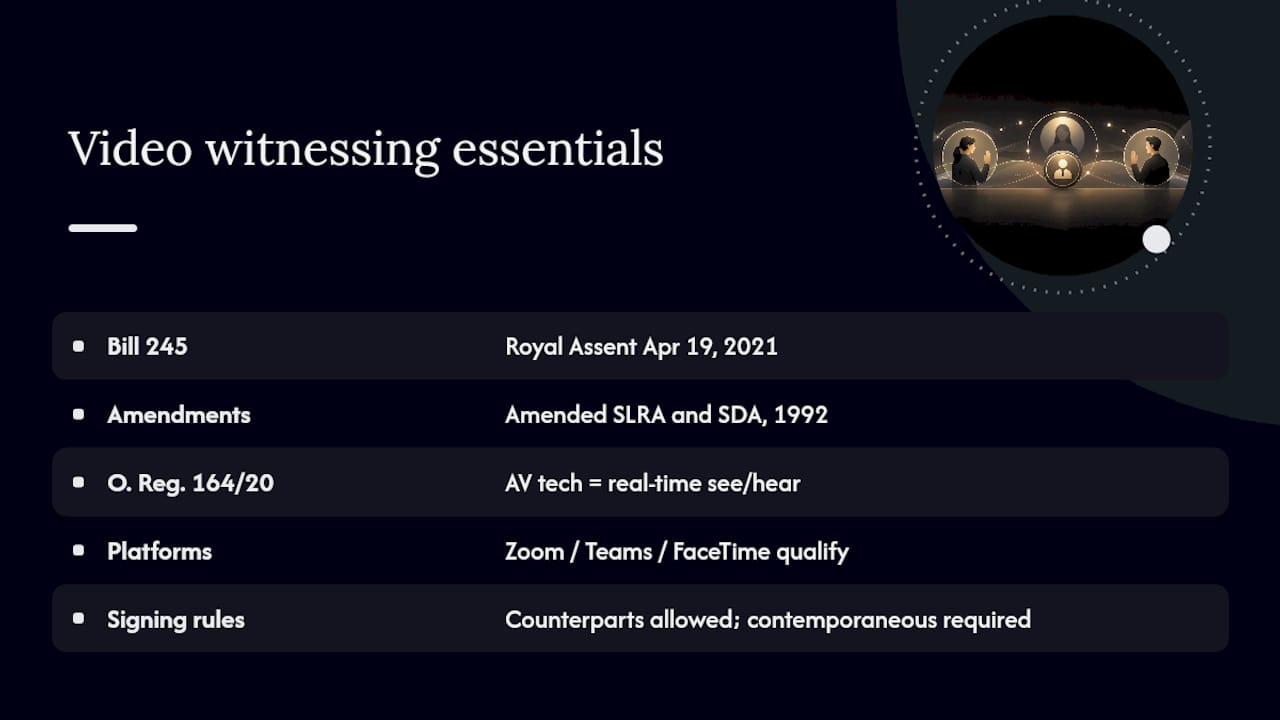
Ontario's move toward remote execution didn't happen by accident. Bill 245, the Accelerating Access to Justice Act, 2021, received Royal Assent on April 19, 2021, and amended both the Succession Law Reform Act and the Substitute Decisions Act, 1992. What started during the pandemic as a temporary emergency order became a permanent fixture of Ontario law, meaning you don't need a state of emergency declared to sign your will over video today.
O. Reg. 164/20 does the heavy lifting on definitions. It describes "audio-visual communication technology" as any method that lets everyone on the call see, hear, and communicate with each other in real time. That's a broad standard, and it's why platforms like Zoom, Microsoft Teams, or FaceTime generally qualify, as long as the connection is stable enough for genuine two-way interaction.
The regulation also permits counterpart signing, meaning the testator and witnesses can sign identical copies rather than passing one physical document around a room. Signatures must still be contemporaneous, meaning everyone signs during the same live call, even if they're signing separate paper copies in separate locations.
Separately, O. Reg. 431/20 governs remote commissioning of oaths and declarations, a related but distinct process covered later in this article.
Who Can Witness a Will or POA Remotely in Ontario?
The Law Society of Ontario requires that at least one of the two witnesses hold an active license as a lawyer or paralegal at the exact moment of signing. The second witness just needs to be a competent adult who isn't a beneficiary under the will and isn't married to one.
There's a subtlety many people miss: a licensed paralegal can serve as the witness, but a paralegal cannot draft a will or give legal advice about its contents. That work still belongs to a lawyer. Practices frequently separate these roles entirely, bringing in a different on-call licensee purely to witness the signing while another lawyer handled the drafting earlier.
Before the video call starts, confirm a few things:
- The Law Society licensee's status is current and they're available for the full signing.
- The independent witness has no financial interest in the document being signed.
- Both witnesses are adults with valid, government-issued photo ID ready to show on camera.
How Counterpart Signing Actually Works on a Video Call
Counterpart signing exists because a single physical document can't travel to three different homes at once. Instead, each participant signs their own identical copy while everyone stays connected on the same video call. Under O. Reg. 164/20, minor formatting differences between the copies, like slightly different margins or page breaks, don't invalidate the document, as long as the substantive text is identical.
In practice, the sequence looks like this:
- Everyone joins the same video call and confirms they can see, hear, and speak with one another clearly.
- The testator signs their copy first, showing the signature on camera in wet ink.
- Each witness then signs their own copy of the document while still connected on the same call.
- The licensee documents the session, including timestamps and who was present, for the file.
Keep screenshots or a brief written log of the call. If the will is ever challenged years later, that record matters more than memory does.
Remote Commissioning: What the Modified Jurat Requires
Witnessing a will and commissioning an affidavit are not the same process, though people often confuse the two. Commissioning applies to sworn documents like affidavits and statutory declarations, and it falls under O. Reg. 431/20 rather than the will-witnessing rules above.
The regulation sets out specific conditions for a valid remote commissioning:
- A real-time audio-visual connection between the commissioner and the person signing.
- Positive confirmation of the signer's identity, typically photo ID shown clearly on camera.
- A modified jurat, the clause at the end of the document, that states the document was signed remotely and lists the physical locations of both parties.
- A retained record of the transaction kept by the commissioner.
Have your ID ready to hold up to the camera at an angle where the photo, name, and expiry date are all legible. A blurry ID scan is one of the most common reasons a remote commissioning gets delayed.
A Practical Checklist for Signing Day
Getting a will or power of attorney witnessed remotely goes smoothly when the paperwork is sorted before the camera turns on, not during the call.
Before the call:
- Print identical copies of the document for the testator and each witness.
- Confirm your Law Society licensee witness is booked and available.
- Test your camera, microphone, and internet connection at the angle you'll actually use.
- Have valid photo ID within reach for everyone involved.
During the call:
- Confirm everyone's identity on camera before any signing begins.
- The testator states their intent to sign clearly, out loud, for the record.
- Sign in wet ink, on camera, where witnesses can watch the pen move.
- Witnesses sign their own copies immediately after, while the call is still live.
After the call:
- Consolidate all signed counterpart copies into one file.
- Save any screenshots, call logs, or timestamps as backup documentation.
- Ask the licensee whether an affidavit of execution is advisable for extra protection.
Pro Tip: Store your signed counterparts and the call recordkeeping together, not in separate folders. If the will is ever contested, having everything in one place saves your executor weeks of searching.
When Remote Witnessing Isn't the Right Call
Video works well for most straightforward signings, but it has real limits. A witness on a screen can't always tell if someone off camera is pressuring the testator, and assessing mental capacity through a laptop is harder than doing it in the same room. The Law Society flags fraud, undue influence, and diminished capacity as specific concerns that remote formats can mask.
Red flags include a testator who seems coached, background noise suggesting someone else is directing the session, or hesitation when asked simple questions about the document's contents. When any of that shows up, the right move is postponing, adding a third witness, or switching to in-person signing entirely.
What Legal Professionals Do to Protect a Remote Signing
An audit trail is what separates a remote will that holds up from one that gets challenged. The strongest version includes the licensee's written attestation, platform timestamps, screenshots of identity documents shown on camera, and retained copies of every signed counterpart. Firms that handle remote witnessing regularly often keep one licensee on call specifically for signings, separate from whoever drafted the document, because the one licensee rule means someone qualified has to be available at the exact moment the client is ready to sign. Remote witnessing appointments typically follow a fee-for-service model, with a licensee scheduled for the signing itself.
Handling remote witnessing starts with confirming the document and scheduling a licensee for the signing itself. Identity is verified on camera, guidance is provided for wet-ink signing on counterpart copies, and a record of the session is kept in case it's needed later. Every step follows Law Society guidance, including the modified jurat language when a document requires commissioning rather than witnessing.
Book Remote Witnessing with Theonlinenotary
Finding a lawyer's office that can fit you in same week for a will signing isn't always realistic, and traveling across Ontario for a five-minute signature is worse. Theonlinenotary offers a faster route: book online, connect with a licensed witness by video, and get your will or power of attorney signed without leaving home.

Our Witness Wills and POAs service runs $170 CAD per will, a flat one-time fee that covers the licensee witness and the recordkeeping that goes with it. If your document only needs notarizing rather than full witnessing, Notarize wills and poa's is priced at $80 CAD per will or POA. We also handle Online Commissioning Services for Individuals at $49.99 CAD per document, affidavits, statutory declarations, and in-person certified true copies for clients in Brampton. Every remote session includes an identity check, wet-ink signing guidance, and the modified jurat language when the document requires commissioning. Visit Theonlinenotary to check availability and book your signing.
This article is general information, not a substitute for advice from a qualified lawyer. Consult a qualified legal professional about your own circumstances before acting on anything here.
Sources
- O. Reg. 164/20 — Signatures in wills and powers of attorney
- Bill 245 — Accelerating Access to Justice Act, 2021 (Ontario Legislative Assembly)
- Remote commissioning - Law Society of Ontario
FAQ
Is virtual witnessing of wills legal in Ontario?
Yes. Bill 245 permanently amended the Succession Law Reform Act to allow remote witnessing, provided at least one witness is a Law Society licensee and signatures happen contemporaneously on a live video call.
Can you witness a document virtually in Ontario?
It depends on the document. Wills and powers of attorney can be witnessed virtually under O. Reg. 164/20, while sworn documents like affidavits fall under the separate remote commissioning rules in O. Reg. 431/20.
What are the requirements to be a witness for signatures in Ontario?
A witness must be a competent adult with no financial interest in the document, and for wills or POAs specifically, at least one of the two witnesses must hold an active Law Society of Ontario license as a lawyer or paralegal.
What are the legal requirements for electronic signatures on wills in Ontario?
Electronic signatures are not accepted for wills or powers of attorney. Every party must sign with a wet-ink signature, even when the witnessing itself happens over video.
How much does it cost to have a will witnessed remotely with Theonlinenotary?
Theonlinenotary charges $170 CAD per will for its Witness Wills and POAs service, a flat one-time fee covering the licensed witness and session recordkeeping.