

Yes. Ontario permits witnesses in different locations to sign off on documents remotely, but only under strict conditions. For most affidavits and declarations, the rule is real-time audio-video contact and identity confirmation by the commissioner. For wills and powers of attorney, the bar is higher: signatures must happen at the same time, and at least one witness must be a Law Society of Ontario licensee.
TL;DR:
- Remote witnessing of affidavits requires real-time video communication with identity confirmation and session recording, under Ontario regulation O. Reg. 431/20.
- For wills and powers of attorney, signatures must occur simultaneously in the same session, with at least one witness being a Law Society licensee, according to legal guidance.
- Confirm acceptance from the receiving organization before scheduling, as many institutions might still refuse remotely executed documents despite compliance.
- Pre-session preparation involves verifying platform stability, printing identical copies, and gathering acceptable ID and licensee witnesses for legal validity.
- The primary risks of remote signing stem from potential confusion or pressure on the signer, making thorough real-time checks and acceptance confirmation essential.
Table of Contents
- What Ontario's Rules Say About Remote Witnessing and Commissioning
- How to Prepare for a Remote Witnessing Session, Step by Step
- When Should You Avoid Remote Witnessing?
- How The Online Notary Supports Remote Witnessing in Ontario
- Why the Rules Matter More Than the Convenience
- Book a Remote Witnessing or Commissioning Appointment
- Where to Verify Ontario's Remote Witnessing Rules
- Sources
What Ontario's Rules Say About Remote Witnessing and Commissioning
The legal foundation for remote witnessing sits in two separate pieces of Ontario law, and mixing them up is the single most common mistake people make when researching this topic.
For affidavits, statutory declarations, and solemn declarations, O. Reg. 431/20 governs the process. It permits a commissioner to administer an oath or take a declaration remotely, provided several things happen at once:
- All parties can see, hear, and communicate with each other in real time over video.
- The commissioner confirms the deponent's identity, typically by checking government-issued photo ID on camera.
- The document uses a modified jurat, meaning the sworn statement notes the physical locations of both the deponent and the commissioner at the time of signing.
- The commissioner keeps a record of the session, which can include notes, a copy of the ID checked, and the time and method of verification.
Wills and powers of attorney work differently. Bill 245 amended the Succession Law Reform Act and the Substitute Decisions Act, 1992 to allow remote execution, but the Law Society of Ontario's guidance sets two firm conditions. First, every signature must happen contemporaneously, meaning in the same audio-video session, not staged across separate calls. Second, at least one of the witnesses must be a licensee of the Law Society, such as a lawyer or paralegal.
Commissioners for taking affidavits can legally administer oaths remotely under this framework. Notaries, historically, have leaned toward in-person execution for certain document types, and some regulatory and institutional limits still apply depending on the document's purpose. That distinction matters because a bank, land registry office, or government agency reviewing your document is under no obligation to accept it just because it was commissioned remotely. The Law Society's own remote commissioning guidance flags this directly: receiving organizations may still refuse a remotely commissioned document, even one that fully complies with the regulation.
How to Prepare for a Remote Witnessing Session, Step by Step
Getting a remote signing right takes more coordination than an in-person appointment, mainly because you cannot fix a mistake by simply passing the pen to someone across the table. Here's a sequence that keeps you out of trouble.
Before the session:
- Call or email the organization that will receive the document and ask if they accept remotely commissioned or remotely witnessed paperwork. Skipping this step is how people end up redoing everything in person a week later.
- Pick a video platform that supports a stable, uninterrupted connection. Zoom, Microsoft Teams, and similar tools work fine as long as everyone can see and hear clearly for the full session.
- If the document requires counterpart signing (common with POAs), print identical copies for every signer ahead of time, since operational failures like couriering pages after the fact or signing in separate sessions can invalidate the counterpart requirement.
- Gather acceptable photo ID, and for wills or POAs, confirm at least one witness is a Law Society licensee.
- Book the appointment with enough lead time that everyone, including a commissioner or notary, can attend at the same time.
During the session:
- The commissioner verifies identity on camera, comparing the ID to the person in front of them.
- Ask the signer to briefly pan the camera around the room. This isn't a formality. It's how a commissioner checks that no one off-screen is influencing the decision.
- Confirm the signer understands the document, either by reading key sections aloud or asking direct questions about its content.
- Everyone signs at the same time, in the same session.
- The commissioner completes the modified jurat, recording the location of each party at the moment of signing.
After the session:
- The commissioner retains their notes and any identity verification records.
- Consider swearing an affidavit of execution, since Hull and Hull LLP notes that although it isn't legally required for POAs signed in counterpart, many practitioners recommend it to create a clearer evidentiary record.
- If originals need to be couriered for filing purposes, send them promptly and track the shipment.
- Store session notes and any screenshots securely, respecting privacy obligations around the personal information collected.
Pro Tip: Have your witness or commissioner email you a short written summary of the session right after it ends, timestamps and all. If anyone ever questions how the signing happened, that record does more work than your memory will.
Guides published by the Law Society and the Ontario government's commissioner resource include sample jurat wording you can adapt for your own documents.
When Should You Avoid Remote Witnessing?
Certain situations call for pausing a remote session or switching to in-person execution entirely. Watch for these red flags:
- ID that looks altered, mismatched, or hard to verify clearly on camera.
- Another person visible or audible off-screen, especially if the signer seems hesitant to answer questions alone.
- Visible confusion about what the document actually says or does.
- Repeated connection drops that break the continuous audio-video requirement.
- Language barriers or accessibility needs that make it hard to confirm genuine understanding.
Assessing mental capacity and spotting undue influence is harder over video than in person, full stop. You can't casually notice body language the way you would sit across a table. The Law Society's guidance stresses extra vigilance here, and practitioners commonly recommend asking the signer to privately confirm, off camera from anyone else in the room, that no one is pressuring them, then documenting that check in the commissioner's notes.
Because acceptance by banks, registries, and other institutions is discretionary rather than guaranteed, the safest move when anything feels off is simple: pause, and book an in-person appointment instead.
How The Online Notary Supports Remote Witnessing in Ontario
Some providers handle the practical side of this process daily, from affidavits and statutory declarations to remote commissioning appointments for individuals and businesses across Ontario. That day-to-day work is what shapes the guidance here.
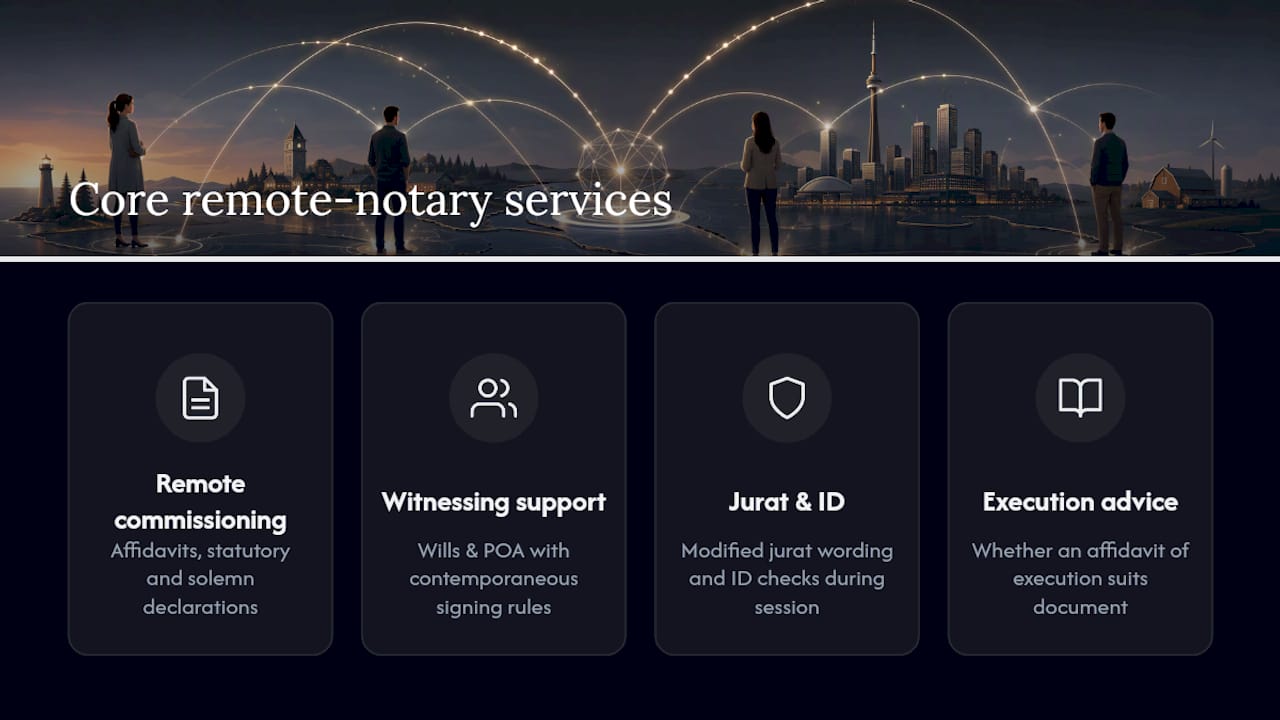
Services can include remote commissioning of affidavits, statutory declarations, and solemn declarations; remote witnessing support for wills and powers of attorney, coordinated with the contemporaneous signing and licensee witness rules; guidance on modified jurat wording and identity verification steps during the session; and advice on whether an affidavit of execution makes sense for your specific document.
For readers who want more background before booking, Theonlinenotary's guide to video notary services and its walkthrough on preparing for a virtual notary appointment cover the identity checks and platform requirements in more detail.
Why the Rules Matter More Than the Convenience
Most articles on this topic sell remote witnessing as a pure convenience play, skip the meeting, sign from your kitchen table. That framing undersells what's actually going on. The regulation exists because remote signing removes the safeguards an in-person room provides automatically: you can't see who else is in the house, and you can't read a hesitation the way you would face to face.
The conventional advice tends to stop at "check if your platform meets the AV requirement." That's necessary but nowhere near sufficient. The real risk in remote execution isn't a dropped Zoom call. It's a signer who is confused, pressured, or being watched by someone the camera never shows. Room scans and off-camera confirmation questions aren't paperwork theater. They're the closest substitute for the instincts a commissioner would use in person.
If you take one thing from this article, take this: confirm acceptance with the receiving organization before you schedule anything. Everything else, the jurat wording, the counterpart signing, the affidavit of execution, is solvable. A refused document after the fact is not.
— Ken
Book a Remote Witnessing or Commissioning Appointment
Paid online appointments for remote commissioning and witnessing are available throughout Ontario, without the drive, the waiting room, or the scheduling gymnastics of finding an in-person slot that works for everyone involved. Sessions may include guidance on jurat wording, and where it makes sense, support in arranging an affidavit of execution afterward for extra evidentiary protection.

If you need an affidavit, statutory declaration, power of attorney, or will witnessed with someone in a different location, book a session directly through Theonlinenotary's services page and get matched with a commissioner who handles the identity checks, the paperwork, and the modified jurat for you.
Where to Verify Ontario's Remote Witnessing Rules
Before relying on any remotely witnessed document, confirm the details against the primary sources:
- O. Reg. 431/20, the regulation governing remote administration of oaths and declarations.
- The Law Society of Ontario's FAQ on remote execution of wills and powers of attorney.
- The Law Society's remote commissioning guidance for commissioners and practitioners.
- Practical commentary from Hull and Hull LLP on statutory requirements versus best practices for virtual POA execution.
Always confirm with the receiving organization before you rely on a remotely witnessed document.
This article is general information, not a substitute for advice from a qualified lawyer. Consult a qualified legal professional about your own circumstances before acting on anything here.
Sources
- O. Reg. 431/20: Administering Oath or Declaration Remotely
- FAQs about remotely executing wills and powers of attorney - Law Society of Ontario
- Remote commissioning - Law Society of Ontario