
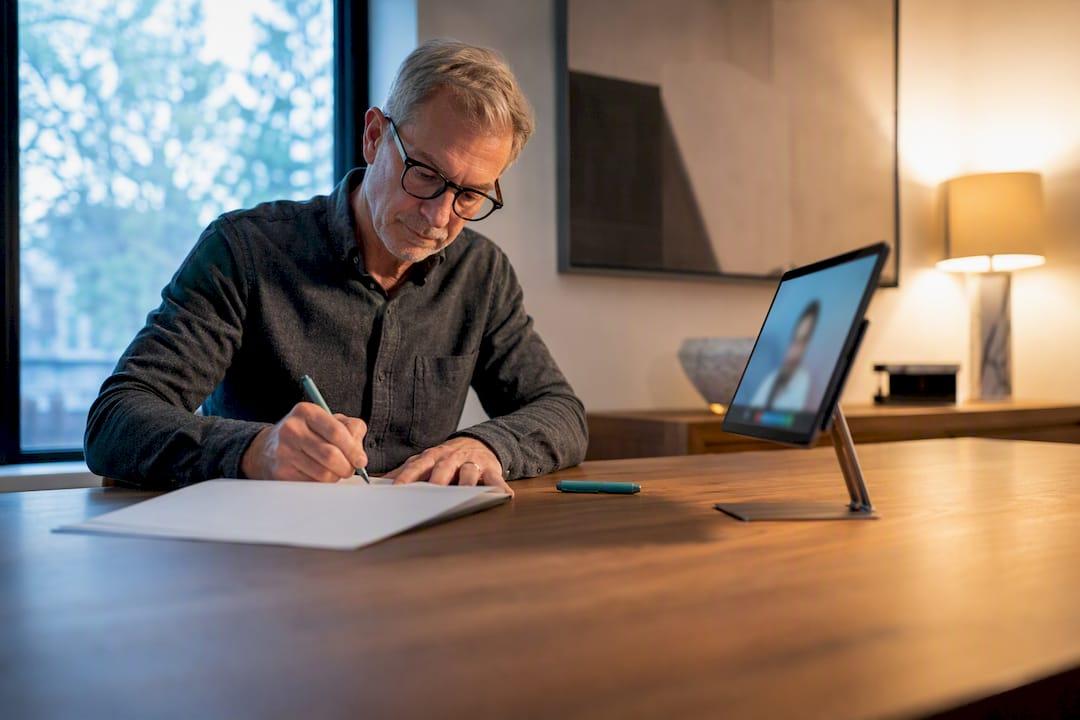
Yes, Ontario law permits witnessing wills and powers of attorney over Zoom or a similar video platform. Bill 245 made it a permanent option, not a pandemic workaround. The catch: at least one witness must be a lawyer or paralegal licensed by the Law Society of Ontario, everyone has to sign at the same moment on camera, and each person needs to have an identical wet-ink counterpart in hand.
TL;DR:
- Witnesses must sign the document in real time during a live Zoom call, with all parties observing and identical copies signed simultaneously or separately.
- At least one witness must be a licensed lawyer or paralegal who verifies identities, watches the signing, and commissions the affidavit of execution.
- Continuous, high-quality audio-visual contact is essential; frozen screens, dropped calls, or unclear IDs can invalidate the signing process.
- Proper preparation includes confirming IDs, printing identical copies, testing technology, and maintaining a private meeting environment.
- Remote witnessing suits straightforward signings and capable signatories but should be avoided if capacity doubts or signs of coercion arise.
Table of Contents
- Is Zoom Witnessing Legal in Ontario?
- Who Can Legally Witness a Zoom Signing?
- How Does a Zoom Witnessing Session Actually Work?
- What Technology and ID Checks Does Ontario Require?
- What Is an Affidavit of Execution and How Is It Commissioned Remotely?
- When Should You Avoid Zoom Witnessing?
- How Do You Prepare for a Zoom Witnessing Session?
- Why Remote Witnessing Is Here to Stay
- Book a Zoom Witnessing Session With Theonlinenotary
- Where to Read the Official Rules Yourself
- Sources
Is Zoom Witnessing Legal in Ontario?
Ontario made remote execution permanent through Bill 245, the Accelerating Access to Justice Act, 2021, which received Royal Assent on April 19, 2021. It amended both the Succession Law Reform Act and the Substitute Decisions Act, 1992, to let wills and powers of attorney be signed and witnessed using "audio-visual communication technology" instead of requiring everyone in the same room. That phrase means real-time video and audio, not a phone call or an email chain.
The presence requirement is satisfied only if the signing happens contemporaneously. Everyone connects at the same time, sees and hears each other live, and signs while the others watch. The statute also allows counterpart signing, where each party signs a separate but identical copy and the signed copies together form the valid will or power of attorney.
Remote commissioning of the supporting affidavit runs on a separate rule: O. Reg. 431/20, which governs administering an oath or declaration remotely. Between them:
- Bill 245 covers the signing and witnessing of the actual will or POA.
- O. Reg. 431/20 covers the commissioner's oath that turns the signing into a sworn affidavit.
- Both require real-time audio-visual contact and identity verification, not a recorded or delayed exchange.
Who Can Legally Witness a Zoom Signing?
Ontario's rule is stricter for remote signings than for in-person ones. At least one witness must hold a license from the Law Society of Ontario, meaning a practicing lawyer or paralegal. The Law Society's own guidance confirms this and notes that while both lawyers and paralegals can serve as the licensee witness, only a lawyer can give legal advice about the will or POA itself.
Ordinary witnesses still need to meet the basic bar: 18 years or older, mentally capable, and not blind. A few people are automatically disqualified, regardless of how the signing happens:
- A beneficiary named in the will.
- The spouse of a beneficiary.
- Anyone who stands to gain financially from the document.
The licensee's job on the call isn't passive. They confirm identity, watch the signature happen in real time, and later commission the affidavit that proves the process was followed correctly.
How Does a Zoom Witnessing Session Actually Work?
Getting a signing right on Zoom means treating it like a courtroom procedure with a camera, not a casual video chat. Here's the sequence that satisfies Ontario's rules:
- Prepare in advance. Confirm government ID for the testator and all witnesses, print identical physical copies of the document for each signer, and test the video connection beforehand.
- Verify identity on camera. Each participant holds up an acceptable photo ID so the licensee witness can confirm it matches the person signing.
- Show the document. The testator displays the physical copy, page by page, so witnesses can confirm it's the same document everyone agreed to sign.
- Sign in real time. The testator signs their copy while both witnesses watch live on screen; witnesses then sign their own identical counterparts while the testator watches.
- Combine the counterparts. The signed copies together constitute one valid document under the Succession Law Reform Act, even though they exist as separate physical pages.
- Commission the affidavit. The licensee witness, acting as commissioner, swears the affidavit of execution, either during the same call or shortly after.
Pro Tip: Mail or courier your signed counterpart to the licensee before the call so it arrives in time. Signing from a printout you photographed off a screen won't hold up if the document is ever challenged.
What Technology and ID Checks Does Ontario Require?
The law doesn't specify a brand of software, but it does demand conditions that most consumer video platforms can meet if you configure the call properly. Continuous, uninterrupted video and audio matter more than picture quality. A frozen screen or a dropped call during the signature moment breaks contemporaneity and can undermine the whole execution.
Practical standards that practitioners rely on include:
- A camera angle wide enough to show the signer's face, hands, and the document at the same time.
- Government-issued photo ID held up to the camera and visually compared, not just read aloud.
- Identical printed copies for every party, ideally couriered ahead of time rather than printed from a shared email.
- A private, password-protected meeting room to prevent uninvited observers from joining mid-signing.
One firm guide on video witnessing recommends photographing each signed counterpart immediately after the call as a timestamped record, a habit worth adopting even though the statute doesn't mandate it. Deciding whether to record the session itself is a judgment call. A recording can help defend against a later challenge, but it also raises privacy and storage questions the signing lawyer should address up front.
What Is an Affidavit of Execution and How Is It Commissioned Remotely?
An affidavit of execution is the sworn statement, usually signed by one of the witnesses, confirming that the will was signed properly and that the testator appeared competent and free of pressure. Probate courts lean on this document when they later have no other way to confirm what happened in the room, or on the call, at the moment of signing.
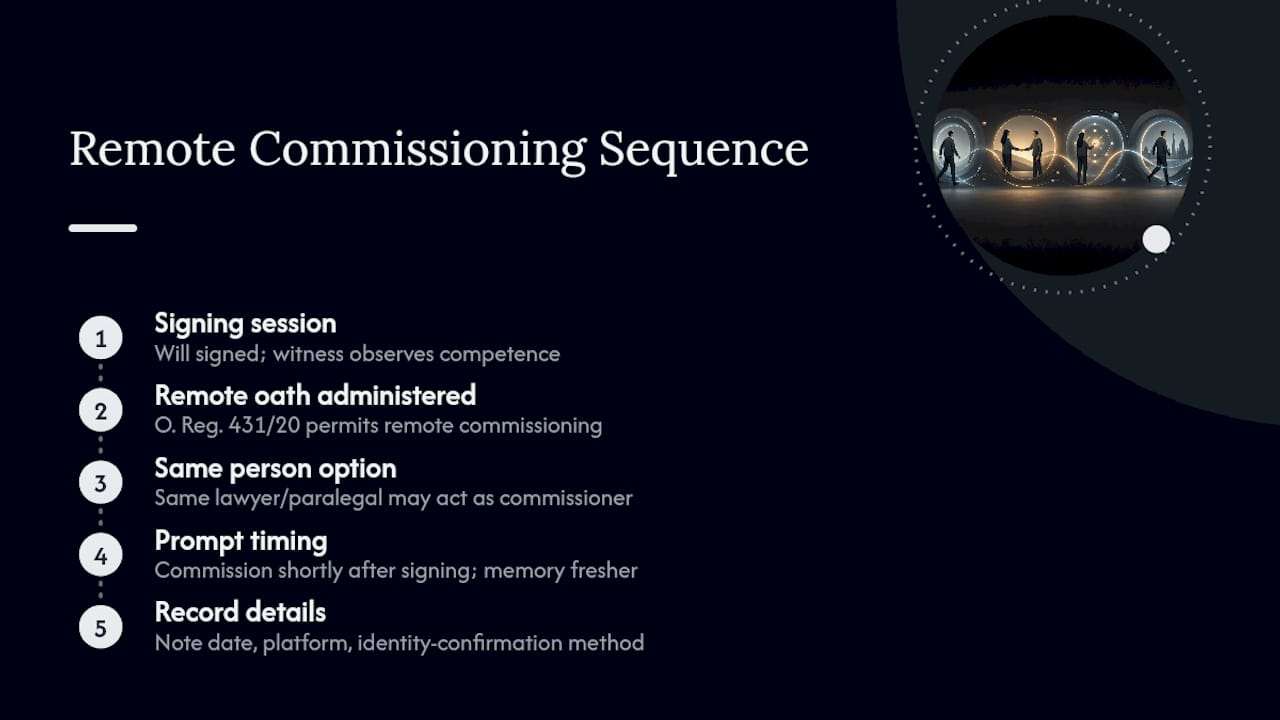
O. Reg. 431/20 permits the commissioner to administer that oath remotely, and the same lawyer or paralegal who witnessed the signing can also serve as the commissioner. That's efficient: one licensee handling both roles reduces the number of procedural gaps that could later be picked apart in a probate dispute.
Timing matters here. Commissioning shortly after the signing, while memory of the session is fresh, produces a stronger record than waiting weeks. The commissioner should note the date, the platform used, and how identity was confirmed.
When Should You Avoid Zoom Witnessing?
Video works well for straightforward signings, but it isn't the right tool for every situation. Watch for these warning signs before you proceed:
- Any doubt about the testator's mental capacity to understand what they're signing.
- Signs of pressure, coaching, or another person hovering just off camera.
- ID that can't be clearly verified, or video and audio that keep cutting out during the signature.
- A testator who seems confused about the document's contents when asked simple questions.
Pushing through any of these red flags risks more than an awkward call. It can hand a disgruntled family member exactly the argument they need to contest the will in probate court, potentially unwinding the whole estate plan years later. Legal commentators who tracked Bill 245 since its rollout have described virtual witnessing as a lasting access-to-justice tool, while cautioning that it never replaces sound judgment about capacity and influence.
Pro Tip: If anything feels off during the call, stop and reschedule for an in-person signing or a formal capacity assessment. A short delay costs far less than a will that gets challenged in probate.
How Do You Prepare for a Zoom Witnessing Session?
A little preparation the day before saves a lot of scrambling once the call starts. Run through this before you log in:
- Gather current government photo ID for the testator and every witness.
- Confirm printed, identical copies of the document are in hand, with signature lines left blank.
- Write down full legal names for anyone who will sign as a witness.
- Set up in a quiet, well-lit room with a stable internet connection.
- Test your camera framing so your face, hands, and the document are all visible at once.
Here's what a licensee-led session typically covers on the provider's end:
| Stage | What happens |
|---|---|
| Identity check | Government ID reviewed on camera against the person signing |
| Witnessing | Licensee and second witness watch the signature happen live |
| Commissioning | Affidavit of execution sworn by the licensee witness |
| Delivery | Signed counterparts and affidavit sent to the client with a documented record |
Keep both the physical signed counterpart and any digital confirmation you receive afterward. Estate matters can resurface years later, and a well-organized file saves your executor real time.
Why Remote Witnessing Is Here to Stay
Ontario didn't build Bill 245 as a temporary fix, and treating it that way undersells what it actually does. It gives people with mobility limits, rural distances, or simple scheduling conflicts a legitimate path to get a will or POA signed without missing work or hiring a driver. That's a real shift in access, not a workaround.
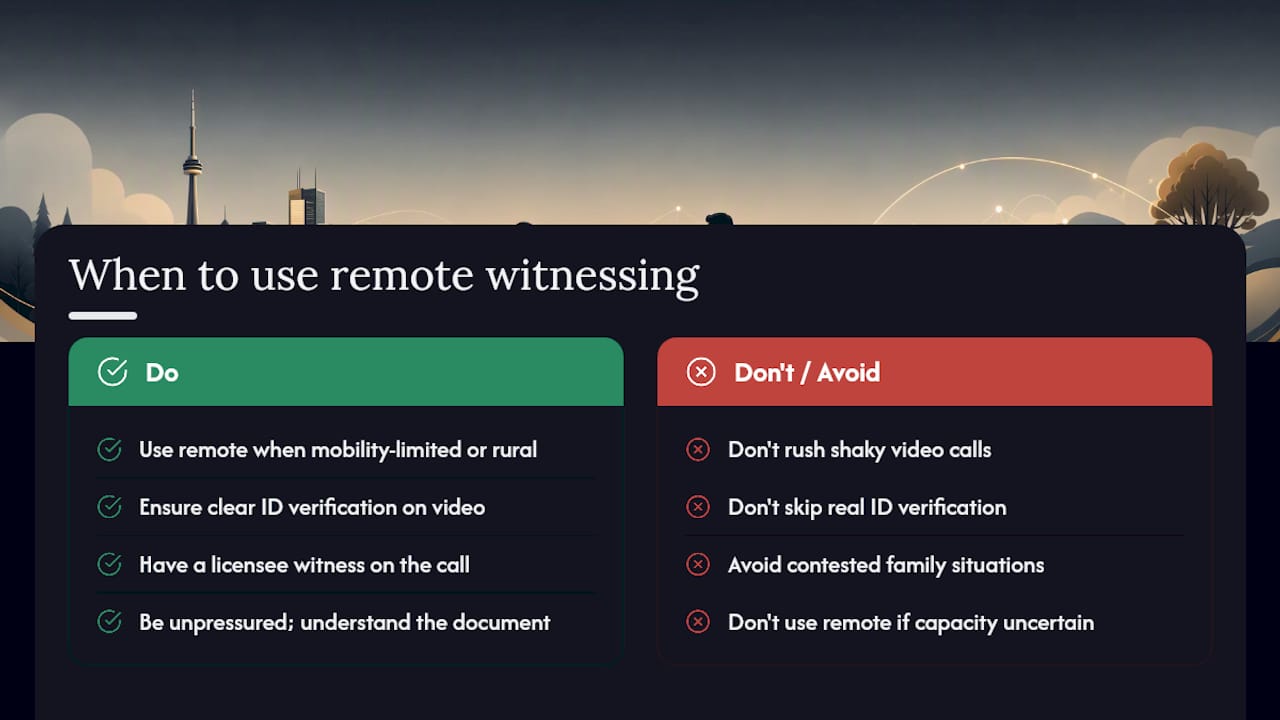
The trade-off is that remote signing demands more discipline, not less. A rushed video call with a shaky connection and no real ID check is worse than no signing at all, because it creates a document that looks valid on paper but falls apart the moment someone challenges it. The Law Society's own guidance treats the licensee witness requirement as the safeguard that keeps remote execution credible, and that's the piece clients most often underestimate.
Remote witnessing suits people who understand the document, aren't under pressure, and just need a licensee to observe the signature preparation and estate process. Anyone facing a capacity question, a contested family situation, or a language barrier is usually better served in person, where subtler cues are easier to catch.
— Ken
Book a Zoom Witnessing Session With Theonlinenotary
Remote witnessing and virtual commissioning sessions are available for Ontario clients who need a will or power of attorney signed without booking a boardroom or driving across town. Every session follows the statutory requirements set out above: a licensed witness on camera, identity verification, real-time signing, and an affidavit of execution commissioned the same session under O. Reg. 431/20.

The typical workflow is simple. You book a time slot, gather your identical printed copies and government ID ahead of the call, and join the video session where a licensee walks you through identity checks, the counterpart signing, and commissioning. If your situation touches on related paperwork, Theonlinenotary's guide on document types for notarization in Ontario is worth a look before your appointment. When you're ready, visit the services page to check availability and book your session.
Where to Read the Official Rules Yourself
Read the primary sources directly: the Law Society of Ontario's FAQ on remote execution, O. Reg. 431/20 on remote commissioning, and the Succession Law Reform Act text on CanLII. For identity-check specifics, see how The Online Notary verifies identity during remote sessions.
This article is general information, not a substitute for advice from a qualified lawyer. Consult a qualified legal professional about your own circumstances before acting on anything here.
Sources
- FAQs about remotely executing wills and powers of attorney - Law Society of Ontario
- O. Reg. 431/20 — Administering Oath or Declaration Remotely
- Succession Law Reform Act (CanLII)
- Using Video Conference to Witness Wills and Powers of Attorney - Merovitz Potechin LLP